Chaos engineering for small teams: how to start testing failure without breaking production
On this page
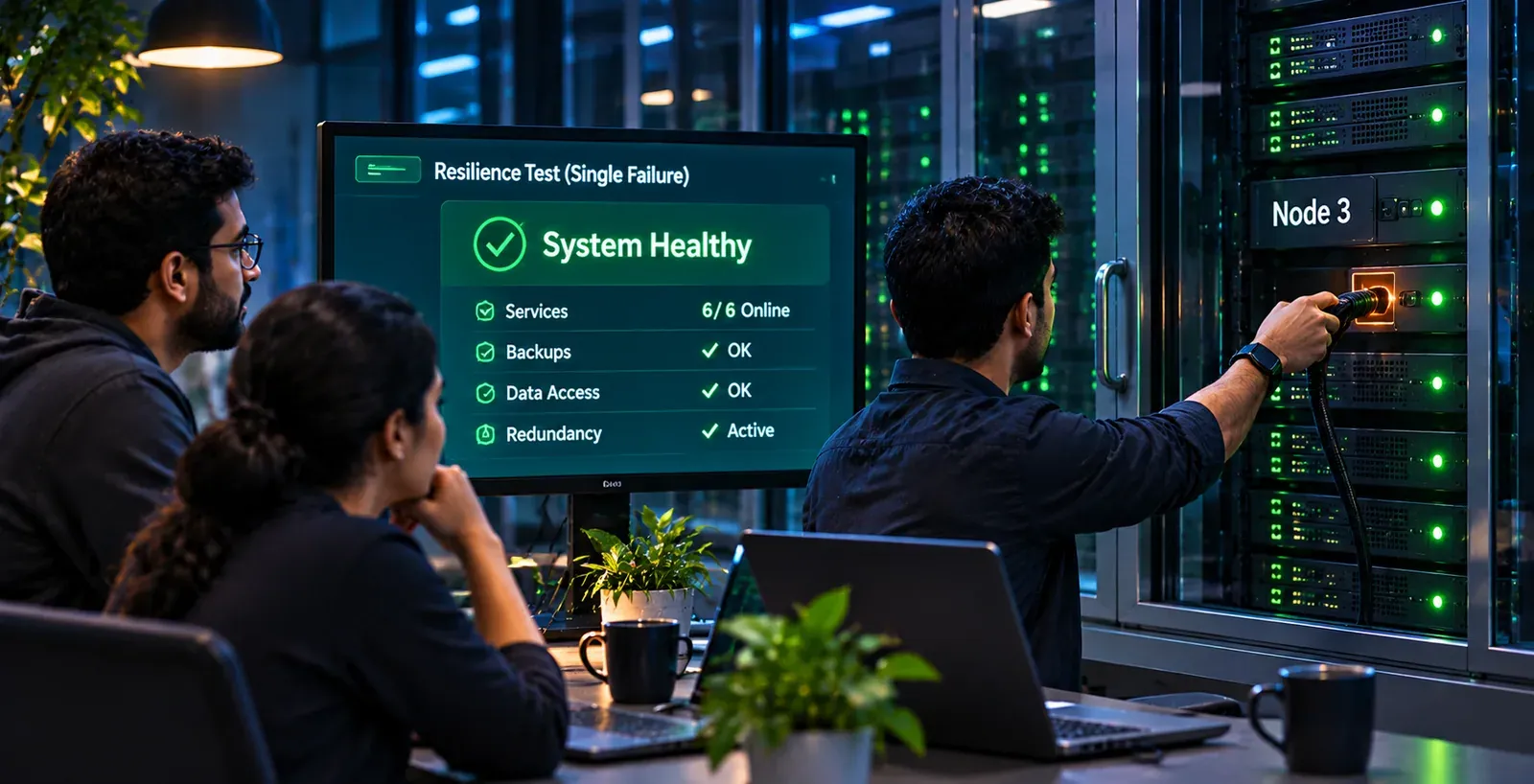
Chaos engineering means breaking one part of your system on purpose, in a controlled way, to prove it fails and recovers the way you think it does. A small team can start safely without a dedicated SRE: run one failure at a time in staging, set an abort rule before you begin, and check whether your alerts fire and your runbook works, before you ever touch production.
Most teams have not done this yet. In The SRE Report 2026, published on 22 January 2026 by Catchpoint (part of LogicMonitor) from 418 survey responses, only 17% said they run chaos experiments regularly, and 34% said they have never tested failure in production at all. Teams that run experiments regularly report a higher tolerance for planned failure than teams that do not. If your team is in the 34%, you are in good company, and this guide gives you a plan to leave it.
What chaos engineering actually is
The Principles of Chaos Engineering define it as experimenting on a system to “build confidence in the system’s capability to withstand turbulent conditions in production.” The important word is experimenting. You are not breaking things to see what happens. You are testing a specific prediction.
Every experiment follows the same loop:
| Step | What you do | Example |
|---|---|---|
| 1. Define steady state | Pick a measurable output that shows the system is healthy | Checkout success rate and response time over the last hour |
| 2. Form a hypothesis | Predict that steady state will hold when a fault occurs | “If one of our three app instances dies, checkout keeps working and the load balancer stops sending it traffic within a minute” |
| 3. Inject the fault | Introduce one realistic failure | Terminate one instance |
| 4. Observe | Look for any difference from steady state | Did errors rise? Did response time jump? Did an alert fire? |
| 5. Learn and fix | If the hypothesis failed, fix the weakness and run it again | Health check interval was too long; shorten it and repeat |
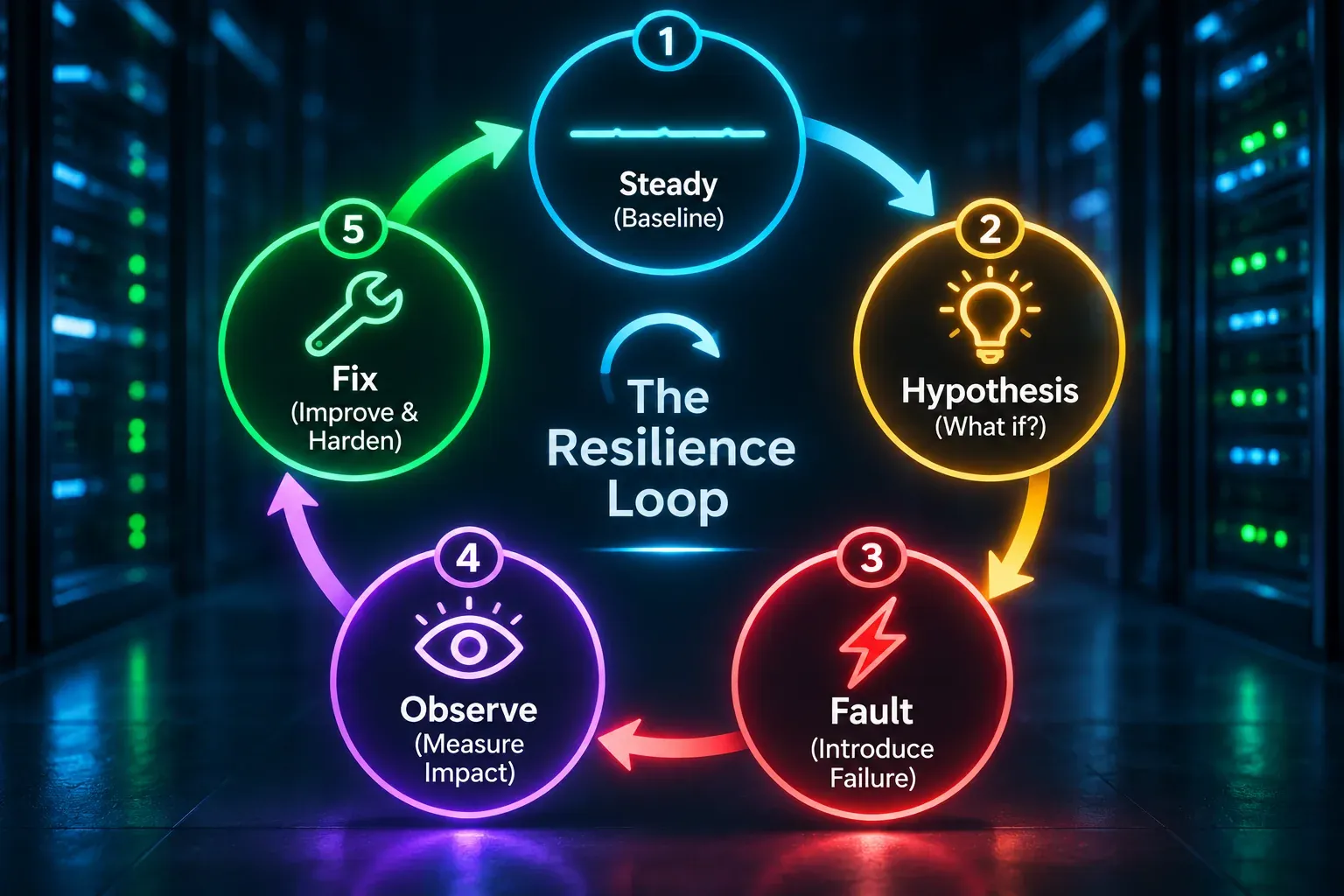
The original principles list four steps, ending with trying to disprove the hypothesis. The fifth step, fixing and re-running, comes from AWS’s Well-Architected guidance, and it is where the value is. An experiment that finds a weakness and leads to no change was just an outage you scheduled.
The principles also set out five advanced practices: build hypotheses around steady-state behaviour, vary real-world events, run experiments in production, automate experiments to run continuously, and minimise the blast radius. Blast radius is the part of your system and your users that an experiment can affect. For a small team, minimising it comes first and running in production comes last.
Where it came from: Chaos Monkey and the Simian Army
Most people searching for “chaos monkey” are really asking about this whole discipline, because Netflix’s tool is where it started.
- 2010: Netflix first described Chaos Monkey in a December 2010 post on lessons from running on AWS. Netflix later called it one of the first systems its engineers built there.
- July 2011: Netflix’s tech blog introduced the Simian Army. Chaos Monkey randomly disabled production instances. Latency Monkey added artificial delays between services. Chaos Gorilla simulated the loss of a whole AWS availability zone. Other “monkeys” found unhealthy instances, unused resources, security problems and certificates close to expiry.
- July 2012: Netflix released Chaos Monkey as open source on GitHub.
Two details from the 2011 post matter for small teams. Netflix ran Chaos Monkey during the business day, in a monitored environment, with engineers ready to respond. The point was to learn while people were watching, so a real failure at 3 a.m. would go unnoticed. That is the opposite of “break production at random and hope.”
Should you install Chaos Monkey today? Probably not. The current version is Apache-2.0 licensed, but its README says it only works with apps you manage through Spinnaker, Netflix’s deployment platform. Most small teams don’t use Spinnaker, and the tools below give you more control over what breaks and when.
Chaos engineering vs load testing, stress testing and DR testing
These four practices get mixed up. They answer different questions, and you need all of them.
| Practice | The question it answers | What you change | You learn |
|---|---|---|---|
| Load testing | Does the healthy system handle expected traffic? | Traffic volume, up to your expected peak | Response times and capacity headroom |
| Stress testing | Where does it break, and how does it fail? | Traffic, pushed past the limit | The breaking point and how it recovers when load drops |
| Chaos engineering | Does the system absorb a realistic fault without people stepping in? | One component: kill it, slow it, cut it off | Whether redundancy, timeouts, retries and alerts actually work |
| Disaster recovery testing | Can we restore service and data after a major loss? | A whole site, region or dataset is gone | Real recovery time and data loss against your RTO and RPO |
For the difference between the first two, see load test vs stress test. For the targets that DR testing checks against, see RTO vs RPO.
The overlap is useful. A chaos experiment that kills your primary database is a small DR test. A stress test that watches recovery after the load lifts is a kind of chaos experiment. After years in enterprise backup and data protection support, the lesson I trust most is the same across all four: a recovery plan nobody has run is a hypothesis, not a plan.
Chaos engineering tools compared
Here is what each well-known tool is, how it is licensed or priced, and where it runs, checked against each project’s or vendor’s own pages on 31 October 2026.
| Tool | What it is | Licence or pricing | Where it runs |
|---|---|---|---|
| AWS Fault Injection Service (FIS) | Managed fault injection with experiment templates and stop conditions tied to CloudWatch alarms | $0.10 per action-minute in most regions ($0.12 in GovCloud); optional $5 experiment reports; no upfront fee | AWS: EC2, ECS, EKS, RDS, Lambda, EBS, networking and more |
| Azure Chaos Studio | Managed chaos service; newer Workspaces and Scenarios model (such as “Compute Zone Down” and “DNS Outage”) is in public preview | $0.10 per action-minute (Azure retail price list) | Azure: VMs (service-direct and agent-based faults), AKS (faults use Chaos Mesh), Cosmos DB, Key Vault, network security groups |
| Google Cloud Fault Injection Testing | Google’s native fault service, in preview since June 2026; access through your Google Cloud account team | No pricing in the launch announcement | Google Cloud: Cloud SQL high-availability failover; added latency and HTTP errors through an Application Load Balancer |
| Gremlin | Commercial reliability platform with fault injection, dependency discovery and DR testing | No public prices; quote on request; 30-day trial, no card needed | Hosts, containers and Kubernetes; “Failure Flags” for applications and serverless functions |
| LitmusChaos | Open-source chaos platform with a hub of ready-made experiments; CNCF incubating project since January 2022 | Apache-2.0 | Kubernetes |
| Chaos Mesh | Open-source chaos platform built on Kubernetes custom resources, with a web UI; CNCF incubating since February 2022 | Apache-2.0 | Kubernetes, plus physical machines and AWS, Azure and GCP faults |
| Chaos Toolkit | Open-source Python command-line tool; experiments are JSON or YAML files you keep in git | Apache-2.0 | Anywhere you run Python; drivers for AWS, Azure, GCP, Kubernetes, Toxiproxy and others |
| Steadybit | Commercial chaos platform with experiment templates and scheduling | No public prices; 30-day trial | SaaS or on-premises; Kubernetes, hosts, and AWS, Azure and Google Cloud actions |
| Toxiproxy | Shopify’s TCP proxy that sits between your app and a dependency and adds latency, timeouts, resets or a full outage on demand | MIT | Development, CI and staging; client libraries for many languages |
Neither LitmusChaos nor Chaos Mesh has graduated from CNCF; both were accepted in 2020 and remain incubating.
How to choose, in one pass
- Mostly on AWS or Azure? Start with the cloud’s own service. You get managed stop conditions, the provider’s own failure actions, and per-minute billing.
- Running Kubernetes? Try Chaos Mesh or LitmusChaos. Both are free to license and give you pod, network and resource faults.
- Want to test how your code handles a slow or dead dependency? Use Toxiproxy in staging or CI. It is the smallest, most precise tool here.
- Want experiments as code that work across clouds? Chaos Toolkit. Google’s own October 2025 getting-started guide recommends it.
- Need a vendor, a UI, support and reports for auditors? Get quotes from Gremlin and Steadybit.
What a managed service costs in practice: a monthly game day that runs four separate 15-minute actions is 60 action-minutes. At the published list rates, that is about $6 on AWS FIS or Azure Chaos Studio. Your real cost is engineering time, not the tool.
When not to do chaos engineering yet
Be honest about whether you are ready. AWS’s guidance puts it bluntly: “If you know that the workload will fail, do not run the experiment.” Fix the known weakness first.
Hold off if any of these are true:
- You have no monitoring or alerting. If you can’t see steady state, you can’t tell whether an experiment changed it. Set up uptime checks, error-rate and latency dashboards, and at least one alert first.
- You have no fast rollback. If a bad deploy takes an hour to undo, an experiment that goes wrong takes an hour too.
- Nobody is on call. Chaos engineering assumes someone will respond. If alerts go to an inbox nobody reads, the first lesson is already clear without an experiment.
- You know there is a single point of failure. One database with no replica, one server with no second instance. Killing it only proves what you know.
- You have never tested a restore. Do a backup restore test first. Losing data is worse than losing an afternoon.
- You are in a change freeze, a peak season or an active incident. Wait.
If two or more apply, spend the month fixing them instead. That is resilience work too.
The first 30 days: a plan for a team without an SRE
This plan assumes three to ten engineers, one production environment, a staging environment that is roughly like it, and no one whose full-time job is reliability.
Week 1: Choose a journey and write your safety rules
- Pick one critical user journey. Signup, login, checkout or your main API call. Not “the whole system.”
- Define steady state for it. Two or three numbers you can see on a dashboard right now: success rate, response time, and orders or requests per minute.
- Map its dependencies. Database, cache, DNS, TLS certificates, payment provider, email service, any third-party API. This list becomes your experiment backlog.
- Write your safety rules once:
- Blast radius: staging only this month. In staging, one instance or one dependency at a time.
- Abort conditions: decide in advance what makes you stop. For example: the journey’s success rate falls below an agreed level for two minutes, an unrelated system degrades, or anyone in the room calls a stop.
- Rollback: the exact command or console action that ends each fault.
- Roles: who runs the fault, who watches dashboards, who takes notes.
Week 2: Run your first two experiments in staging
Start with the least scary experiments in the table below: a dead instance and a third-party API that stops responding. Use an experiment card for each one so results are comparable:
Experiment card Journey: checkout · Steady state: success rate, response time, orders per minute Hypothesis: If [fault], then [expected behaviour], and [alert] fires within [time] Fault and duration: … · Blast radius: … · Abort if: … · Rollback: … Result: held / did not hold · Alert fired? · Runbook worked? · Fixes and owners: …
Keep the cards in your repository next to the code. AWS’s guidance warns against not treating experiments as code, and a file in git is the simplest way to avoid that.
Week 3: Hold your first game day
A game day is a scheduled session where the team that would handle a real incident practices one, on purpose. AWS recommends involving the same people who respond to production problems, telling every relevant stakeholder in advance, and never blaming anyone for what the exercise finds.
A 90-minute format that works for small teams:
- 10 minutes: read the experiment cards aloud. Confirm the abort conditions and rollback.
- 50 minutes: run two or three experiments one at a time. The person on call responds as if it were real, using only the runbook and dashboards.
- 30 minutes: review. What did we expect, what happened, what surprised us, what do we fix, and who owns each fix.
The most valuable findings are often not in the software: an alert sent to the wrong channel, a runbook step naming a server you deleted last year, a dashboard nobody could find.
Week 4: Fix, re-run and decide what’s next
- Fix the top findings, then re-run the same experiments to prove the fixes work.
- Write a one-page summary: experiments run, hypotheses held or failed, fixes made.
- Book the next game day. Monthly is a realistic rhythm for a small team.
- Decide whether one experiment is ready to graduate to production (see below).
Ten starter experiments
Start at the top. Each row is a single fault with a clear hypothesis. Run them in staging first.
| # | Experiment | Hypothesis | How to run it in staging | What to watch |
|---|---|---|---|---|
| 1 | Dead instance | Losing one of several app instances causes no user-visible errors | Terminate one VM, task or pod (AWS FIS ec2:terminate-instances or eks:pod-delete, Chaos Mesh, or the console) | Errors during failover, time for the load balancer to drop it, time for a replacement to start |
| 2 | Database failover | A primary database failover causes under a minute of errors and the app reconnects by itself | RDS reboot with failover, Aurora cluster failover, Cloud SQL failover, or Cosmos DB failover | Error spike length, connection pool behaviour, whether the app needs a restart |
| 3 | Third-party API down | If the payment or email provider stops responding, users see a clear message and nothing hangs | Toxiproxy with the proxy disabled, or block the provider’s host from staging | Timeouts, request threads stuck waiting, queue build-up, error messages shown to users |
| 4 | Third-party API slow | A dependency that takes several seconds to answer does not slow every page | Toxiproxy latency toxic on that dependency | Whether timeouts are set, whether slow calls tie up the whole service |
| 5 | DNS failure | If one dependency’s name stops resolving, only the features using it fail | Chaos Mesh DNS faults on Kubernetes, Gremlin’s DNS experiment, Azure’s DNS failure fault (Windows VMs), or block that hostname in staging | Error handling, DNS caching, retry storms after it comes back |
| 6 | Network latency to the database | Extra delay between app and database raises response time but causes no errors | FIS ecs:task-network-latency or eks:pod-network-latency, Chaos Mesh network faults, or Linux tc netem | Response time, query timeouts, connection pool exhaustion |
| 7 | Expired certificate | An expiring certificate triggers an alert well before users see an error | Gremlin’s certificate expiry experiment, or serve a deliberately expired certificate on a staging service | Did monitoring warn you in time? Do internal clients fail loudly or quietly? |
| 8 | Full disk | A full log or data volume triggers an alert before the app stops writing | Fill a staging volume with a large file (for example with fallocate), or Gremlin’s disk experiment | Disk alerts, log rotation, which process fails first |
| 9 | CPU or memory pressure | One overloaded node is taken out of rotation or scaled around | FIS ecs:task-cpu-stress or eks:pod-cpu-stress, Azure CPU pressure, or stress-ng | Autoscaling reaction time, health checks, noisy-neighbour effects |
| 10 | Cache lost | If the cache is flushed or down, the site slows but the database survives | Flush or stop the staging Redis or Memcached instance (Azure has a Redis reboot fault) | Database load spike, response times, how quickly the cache warms up |
Two of these are worth calling out. AWS FIS and Azure Chaos Studio both list disk I/O pressure faults, but we found no simple disk-fill action in either list, so experiment 8 usually means a script or another tool. And experiment 7 tests your monitoring, not your code: an expired certificate breaks a site however resilient the code behind it is. Our guide to checking your TLS configuration covers what to monitor.
What to measure during every experiment
Write down the same six things each time, so you can compare game days over months:
| Measure | Why it matters |
|---|---|
| Error rate for the journey | The clearest sign users were affected |
| Response time, including the slowest requests | Averages hide the slow requests users notice |
| Time to detect: did an alert fire, and how long did it take? | An experiment where nothing alerts is a finding in itself |
| Time to recover: how long until steady state returned? | This is the number you compare against your RTO |
| Did the runbook work as written? | Stale runbooks are one of the most common findings |
| Human intervention needed? | The goal is recovery without anyone stepping in; each manual step is a backlog item |
If you need audit evidence, these records double as proof that you test recovery. See how to prove disaster recovery for SOC 2.
Graduating to production safely
Production is where the principles say experiments belong, because staging never fully matches real traffic, data and configuration. But you earn it. Move an experiment to production only when all of these are true:
- It passed in staging at least twice, with the fixes from earlier runs in place.
- Stop conditions are automated, not just a person watching. AWS FIS ties them to CloudWatch alarms; AWS allows up to five per experiment template.
- The blast radius is as small as you can make it: one instance out of many, one zone, or a small share of traffic through a canary.
- It runs during staffed, low-traffic hours. AWS suggests off-peak times. Netflix ran Chaos Monkey during business hours with engineers ready. Do both: quiet traffic, full team.
- Support and stakeholders know, so a customer report reaches the experiment team fast.
- Rollback is one action, tested in staging.
Once a production experiment passes reliably, automate it. AWS recommends running proven experiments regularly, including as a regression check in your CI/CD pipeline, so a future change that breaks resilience is caught on the next run.
How to add an outside-in signal to game days with BCDRPulse
BCDRPulse doesn’t inject faults inside your stack. Use FIS, Chaos Studio, Chaos Mesh or Toxiproxy for that. What it gives you is a repeatable view from outside, the way customers see your site.
- Continuous resilience runs scheduled checks that your site keeps holding and recovering, so you have a baseline before a game day and a comparison after it.
- Cloud stress testing applies sustained pressure from cloud infrastructure and shows how the site recovers after the load lifts, which pairs well with the recovery questions above.
Every test requires you to verify the domain as yours through a DNS record, and tests run against the verified site rather than specific pages. Both tools are on the Business plan; see pricing.
The bottom line
Chaos engineering is not breaking production for fun. It is the habit of safely testing one belief about how your system fails, and fixing what turns out to be wrong. You don’t need an SRE team or an expensive platform to start.
Pick one journey. Write the safety rules. Kill one instance in staging and watch what happens. Then hold a game day, fix what you find and do it again next month. Within a few cycles you’ll know which failures your system really survives, instead of hoping.
Sources.
- 1. LogicMonitor, The SRE Report 2026: Reliability is being redefined (22 January 2026) (opens in a new tab) www.logicmonitor.com
- 2. Catchpoint, SRE Report 2026: What surprised us, what didn't, and why the gaps matter most (22 January 2026) (opens in a new tab) www.catchpoint.com
- 3. Principles of Chaos Engineering (last updated March 2019) (opens in a new tab) principlesofchaos.org
- 4. Netflix Technology Blog, The Netflix Simian Army (19 July 2011) (opens in a new tab) techblog.netflix.com
- 5. InfoQ, Netflix releases Chaos Monkey as open source (31 July 2012) (opens in a new tab) www.infoq.com
- 6. Netflix, Chaos Monkey repository on GitHub (opens in a new tab) github.com
- 7. AWS Well-Architected, REL12: Test resiliency using chaos engineering (opens in a new tab) docs.aws.amazon.com
- 8. AWS Well-Architected, Conduct game days regularly (opens in a new tab) docs.aws.amazon.com
- 9. AWS, What is AWS Fault Injection Service? (opens in a new tab) docs.aws.amazon.com
- 10. AWS, Fault Injection Service actions reference (opens in a new tab) docs.aws.amazon.com
- 11. AWS, Fault Injection Service pricing (opens in a new tab) aws.amazon.com
- 12. Microsoft, What is Azure Chaos Studio? (opens in a new tab) learn.microsoft.com
- 13. Microsoft, Azure Chaos Studio fault and action library (opens in a new tab) learn.microsoft.com
- 14. Microsoft, Azure Retail Prices API (Azure Chaos Studio) (opens in a new tab) prices.azure.com
- 15. Google Cloud, Introducing Google Cloud Fault Injection Testing in preview (26 August 2026) (opens in a new tab) cloud.google.com
- 16. Google Cloud, Fault Injection Testing release notes (opens in a new tab) docs.cloud.google.com
- 17. Google Cloud, Getting started with chaos engineering (13 October 2025) (opens in a new tab) cloud.google.com
- 18. Gremlin, Pricing (opens in a new tab) www.gremlin.com
- 19. Gremlin, Fault injection experiments (opens in a new tab) www.gremlin.com
- 20. CNCF, Litmus project page (opens in a new tab) www.cncf.io
- 21. LitmusChaos repository on GitHub (opens in a new tab) github.com
- 22. CNCF, Chaos Mesh project page (opens in a new tab) www.cncf.io
- 23. Chaos Mesh repository on GitHub (opens in a new tab) github.com
- 24. Chaos Toolkit (opens in a new tab) chaostoolkit.org
- 25. Chaos Toolkit repository on GitHub (opens in a new tab) github.com
- 26. Steadybit, Pricing (opens in a new tab) steadybit.com
- 27. Steadybit (opens in a new tab) steadybit.com
- 28. Shopify, Toxiproxy repository on GitHub (opens in a new tab) github.com
Frequently asked questions.
What is chaos engineering?
Chaos engineering is the practice of deliberately injecting a controlled failure into a system, such as a crashed server, a slow network link or a dead dependency, to check that the system keeps working the way you expect. Each experiment follows a loop: define normal behaviour, predict that it will hold, inject the fault, and look for any difference. The goal is to find weaknesses before a real outage does.
What is Chaos Monkey?
Chaos Monkey is a tool Netflix built after moving to AWS. It randomly terminates virtual machine instances and containers in production so engineers have to build services that survive the loss. Netflix described it publicly in 2010 and 2011 and released it as open source in July 2012. The current version is Apache-2.0 licensed and only works with apps managed through Spinnaker.
Is chaos testing the same as chaos engineering?
People use the terms interchangeably. Strictly, chaos testing usually means the act of injecting faults, while chaos engineering is the wider discipline: defining steady state, forming hypotheses, limiting the blast radius, measuring, and fixing what you find. In Catchpoint's SRE Report 2026, more respondents picked 'resilience engineering' (41%) or 'resilience testing' (40%) as the more relatable name than 'chaos engineering' (29%).
Is it safe to run chaos experiments in production?
It can be, but not as a first step. AWS's Well-Architected guidance recommends running faults in a non-production environment first, then in production with automated stop conditions, a small scope and a rollback plan. Start with one instance or a small share of traffic, during staffed hours, with support teams told in advance.
What are the best chaos engineering tools for a small team?
Use what matches your platform. On AWS, Fault Injection Service is managed and billed per action-minute. On Azure, Chaos Studio works the same way. On Kubernetes, Chaos Mesh and LitmusChaos are open-source CNCF incubating projects. For network faults between an app and its dependencies in staging or CI, Shopify's open-source Toxiproxy is the simplest place to start.
How much does chaos engineering cost?
The open-source tools (Chaos Mesh, LitmusChaos, Chaos Toolkit, Toxiproxy) cost nothing to license, only the time to run them. AWS Fault Injection Service lists $0.10 per action-minute in most regions, and Azure lists Chaos Studio at $0.10 per action-minute. Gremlin and Steadybit publish no prices and quote on request, with 30-day trials.
What are the principles of chaos engineering?
The Principles of Chaos Engineering, published at principlesofchaos.org, list five: build a hypothesis around steady-state behaviour, vary real-world events, run experiments in production, automate experiments to run continuously, and minimise the blast radius. Small teams usually apply the last one first and the production one last.
How is chaos engineering different from load testing and disaster recovery testing?
Load testing checks how a healthy system performs under expected traffic, and stress testing pushes it past its limit. Disaster recovery testing checks that you can restore service and data after a major loss, within your RTO and RPO targets. Chaos engineering injects smaller, realistic faults, like a dead instance or a slow dependency, to see whether the system absorbs them without anyone restoring anything.
Published .
Founder, BCDRPulse
Founder of BCDRPulse. Enterprise backup and data protection since 2007, supporting Fortune 500 companies. Writes guides to keeping a site up, fast and secure, and to proving it.