Backup restore testing: how to prove a backup works before the day you need it

On this page
Every backup system has a job log full of green ticks. Each tick means a job ran and wrote something somewhere. None of them means the data can be read back, that it is the data you think it is, that the key to decrypt it is somewhere other than the server that was just encrypted, or that bringing it back takes four hours rather than two days. Those are the questions a restore answers, and a backup that has never been restored is, in the exact sense, untested.
This article is about testing it: what a restore test is, the four levels it comes in, what each level catches, how often to run them, what to write down, and the list of things that go wrong in tests so that they do not go wrong in incidents. It is written for the person who owns backups at a company too small to have a recovery team, because that is where most untested backups live.
Why the evidence has to be a restore
The cost of finding out during an attack is well measured. Sophos’s study of 2,974 organisations hit by ransomware found that where attackers had compromised the backups, the median recovery cost was $3 million against $375,000 where backups survived, 67% of victims paid the ransom against 36%, and only 26% were fully recovered within a week against 46%. The backups that “survived” in that study were the ones that both existed and worked. Our guide to protecting backups from ransomware covers how attackers reach them; this one covers how you find out, in advance, whether yours would work if they did not.
The guidance agrees on the method. The NCSC’s data security step says to keep at least three copies on two devices with one off site, and, in its words, to test your backups regularly and know how to restore from them before an incident. CISA’s ransomware guide says the same. Cyber insurers have moved from asking whether backups exist to asking for the date of the last restore test, as our article on cyber insurance requirements in 2026 sets out. This week’s Synology ransomware wave is the reminder of what the question is for: hundreds of thousands of NAS devices that were, for many small businesses, the backup.
The four levels of restore test
Each level answers a question the one below cannot. Start at the first and work up.
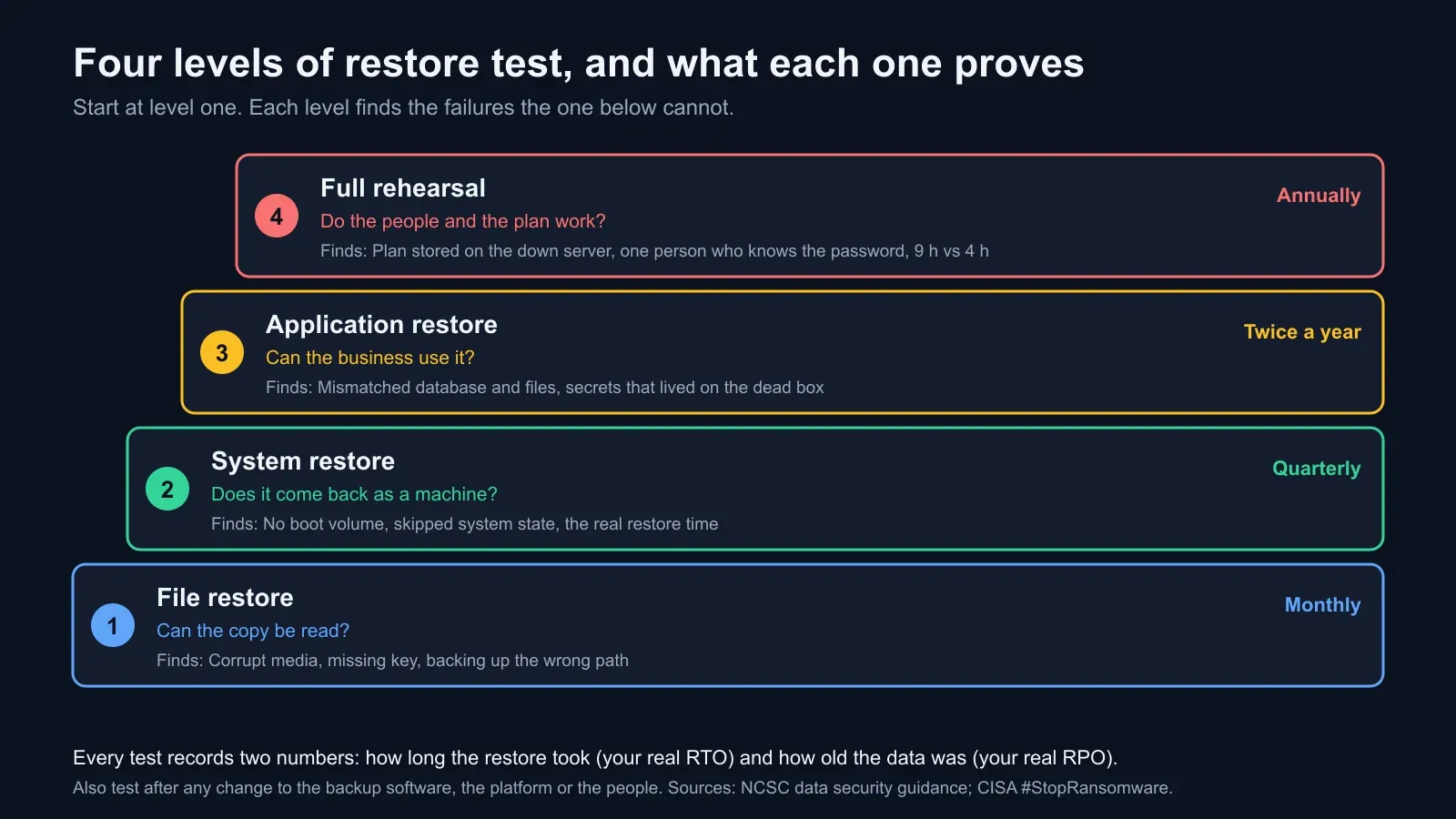
Level 1: file restore. Can the copy be read? Pick a few files from different systems and dates, including one from the oldest retained backup, and restore them to a separate location. Open them. This catches corrupted media, a broken catalogue, an expired or missing decryption key, and the discovery that the job has been backing up an empty folder since a path changed. It takes twenty minutes and finds a surprising share of the serious failures.
Level 2: system restore. Does it come back as a machine? Restore a whole server or virtual machine from its backup onto fresh hardware or a fresh VM on an isolated network, and check that it boots, that the operating system and services start, and that the restored disk is complete. This catches backups that captured data but not the boot volume, agents that skipped system state, and the first real timing: how long a full machine takes to come back from the copy you would use.
Level 3: application restore. Can the business use it? Restore the application and its database and configuration together, bring it up, and have someone who uses it daily log in and do real work: place a test order, run a report, open a customer record. This catches the failures that only appear when parts meet: a database restored from a different hour than the files, a configuration file that points at the old server, secrets and licence keys that lived only on the machine that died, and an external dependency, such as a payment or email provider, that has to be re-authorised.
Level 4: full rehearsal. Do the people and the plan work? Declare a scenario, such as the main office’s systems encrypted on a Friday afternoon, and run the recovery plan end to end with the people who would actually do it, on the clock, from the documents they would actually have. This catches everything the other three cannot: the plan that lives on the server that is down, the one person who knows the backup password, the restore that works but takes nine hours against a four-hour promise, the order of operations nobody had written down. Our guide to proving disaster recovery for SOC 2 covers how to document this level for an auditor.
How often
A schedule that fits a small team and satisfies most insurers and frameworks:
| Level | How often | Also after |
|---|---|---|
| File restore | Monthly | Any change to the backup software or storage |
| System restore | Quarterly | A new server, a platform upgrade, a hypervisor change |
| Application restore | Twice a year | A major application upgrade, a new integration |
| Full rehearsal | Annually | A change in who runs recovery, a new office or cloud region |
The “also after” column matters more than the calendar. Most restore failures were introduced by a change, and the test that follows the change is the one that finds it while the person who made the change still remembers it.
The two numbers a test produces
A restore test is the only source of two figures that a recovery plan otherwise estimates.
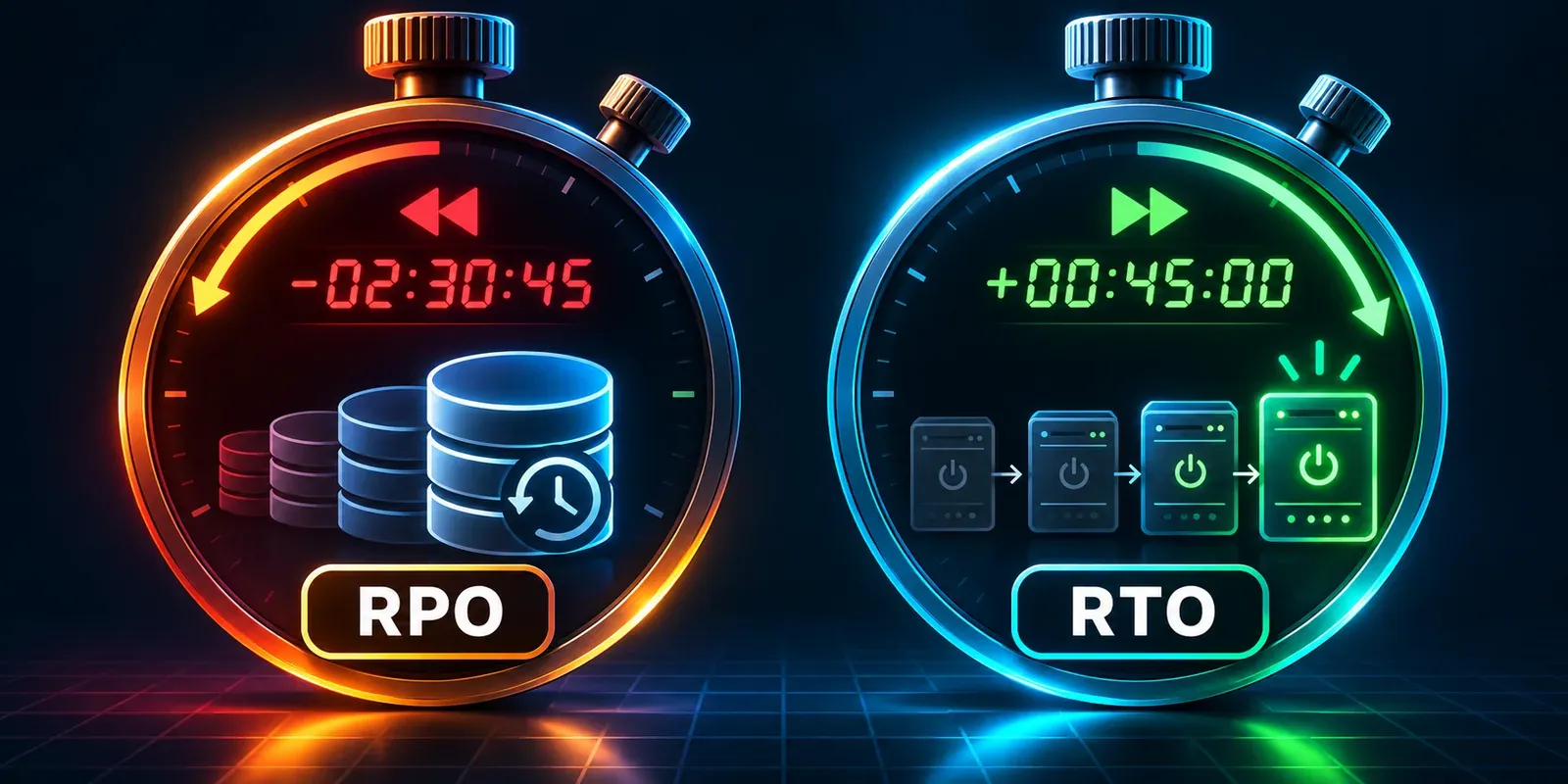
How long the restore took is your real recovery time objective for that system. Not the number in the plan; the number on the stopwatch, from the decision to restore to the moment someone could use the system. If the plan says four hours and the test says nine, the plan is wrong, and it is better to learn that from a test.
How old the restored data was is your real recovery point objective. A nightly backup restored at 3 pm gives you data from the previous night: up to fifteen hours lost. If the business assumed an hour, the backup schedule is wrong. Our explainer on RTO and RPO covers how to set the targets; the restore test is how you check them.
Write both down every time. A series of dated restore tests with durations and data ages is the single most persuasive document you can hand an insurer, an auditor or a customer who asks whether you can recover, because it is evidence rather than a claim.
What to record
One page per test, kept where the backups are not:
- Date, who ran it, which level
- What was restored, from which copy (the off-site one, the immutable snapshot, the offline drive) and which backup date
- Start time, end time, and the time at which the system was usable
- Age of the restored data
- Was the data complete and correct, checked by whom, how
- What failed or surprised, and what was changed as a result
- Who signed it off
The failures column is the point of the document. A record that says “restore succeeded” twelve times in a row is less useful than one that says “restore of the orders database took six hours because the off-site link is 50 megabits; raised to 200” once.
The failures a test finds
A list from experience, in roughly the order they turn up. Every one of these has been found in a test by a team that was sure its backups were fine.
- The decryption key was stored on the system being restored, or in a password manager whose only copy was on it.
- The backup covered the wrong thing. A path moved, a new database was added, a server was renamed, and the job kept succeeding at backing up the old location.
- Retention was shorter than the time to notice. A nightly backup kept for seven days is no help against an infection discovered on day nine. The NCSC advises keeping backups for at least a month.
- The off-site copy was reachable from the network, with the same credentials as the live systems, so it was not off-site in any sense that mattered. The NCSC’s advice is at least one copy offline at any time, or a cloud copy whose client has no valid credentials while not in use.
- The restore needed something that was not backed up: a licence server, a certificate, a service account, an API key, a DNS record.
- The restore was slower than the link. Terabytes over a connection sized for nightly increments take days.
- The restored system was infected, because the backup captured the attacker’s foothold. The NCSC’s guidance is to reinstall programs from trusted sources, restore data only, and scan it before use.
- Only one person could do it, and the test was scheduled around their holiday.
Each of these is cheap to fix after a test and ruinous to discover during an incident.
Running a test without risk
Restore to somewhere new, never over the live system: a spare server, a virtual machine, a container, a cloud instance started for the afternoon, an isolated folder. Keep the restored machine off the production network until you have checked it. Restore from the copy you would really use, which means the off-site or immutable one, not the convenient local one. Time it honestly, including the time to find the credentials and the documentation. And have the test done by the second person, not the first, because the first person’s knowledge is the thing you are trying to make unnecessary.
Where BCDRPulse fits
BCDRPulse does not touch backups. It tests and monitors websites you have verified you own, and its place in a restore test is the last step for a public-facing system: once the site has been restored and its DNS pointed at the new server, external uptime monitoring confirms the world can reach it, a security scan confirms the certificate and headers came back with it, and a load test confirms the restored site can take real traffic rather than only answering a browser on the office network. Those three checks turn “the restore finished” into “the restore worked”, which is the sentence the test exists to produce.
Checklist
- Restore schedule written down: monthly file, quarterly system, twice-yearly application, annual rehearsal
- Every test restores from the off-site or immutable copy to a separate system
- Duration and data age recorded for each test, against the RTO and RPO in the plan
- Decryption keys, credentials and the recovery plan stored where the backups are not
- Retention of at least a month on at least one copy
- Programs reinstalled from source, data restored and scanned
- A second person able to run the restore without the first
- A test at the relevant level after every change to backups, platform or people
The bottom line
The job log proves a backup was written. Only a restore proves it can be used, and only a timed restore from the real copy proves it can be used in the time the business is counting on. Run the four levels on a calendar, write down every result, and fix what each one finds. The day the question is asked for real, the answer will be a dated record rather than a hope.
Sources.
- 1. NCSC, 10 Steps to Cyber Security: Data security (backups, the 3-2-1 approach, testing restores) (opens in a new tab) www.ncsc.gov.uk
- 2. NCSC, Offline backups in an online world (13 August 2019, reviewed 2026) (opens in a new tab) www.ncsc.gov.uk
- 3. Sophos, The impact of compromised backups on ransomware outcomes (2,974 organisations, 2024) (opens in a new tab) www.sophos.com
- 4. CISA, #StopRansomware guide (updated May 2023) (opens in a new tab) www.cisa.gov
- 5. Synology, Synology urges users to update DSM following ransomware attacks on outdated DSM versions (29 October 2026) (opens in a new tab) www.synology.com
Frequently asked questions.
How often should backups be tested?
A workable schedule for most organisations: restore a handful of files every month, restore a whole system from backup every quarter, restore a working application including its database and configuration twice a year, and rehearse the full recovery plan once a year. Add a test at the relevant level after any change to the backup software, the storage, the platform being backed up or the people responsible. The NCSC says to test regularly and to know how to restore before an incident; the schedule turns regularly into dates.
What is the difference between a backup test and a restore test?
A backup test checks that the backup job ran and the copy exists, which most backup software reports automatically. A restore test takes that copy and brings data back from it onto a system, then checks the data is complete, current and usable. Only the second proves anything about recovery. A backup job can succeed every night for a year while writing a copy that cannot be decrypted, is missing a database, or takes a day to read back.
What should a restore test record?
The date, who ran it, what was restored and from which copy, the time the restore started and finished, the age of the restored data, whether the data was complete and usable, what went wrong and what was changed as a result. The two numbers that matter most are the duration, which is evidence for your recovery time objective, and the data age, which is evidence for your recovery point objective. Keep the records together; they are what an insurer or auditor asks for.
Should I restore to the live system?
No, except in a real incident. Restore to a separate server, virtual machine, container or an isolated folder, then compare. Restoring onto the live system overwrites good data with an older copy if anything goes wrong, and it hides the question a real recovery asks, which is whether you can rebuild somewhere new from the backup alone. For a system restore, bring it up on an isolated network and check it boots and the application starts.
Can ransomware be in my backups?
Yes. If a system was infected before the backup ran, the backup holds the infection, and restoring it restores the attacker's foothold. The NCSC advises reinstalling executables from trusted sources rather than restoring them from backup, keeping backups for at least a month so a clean point exists, and scanning restored files with current antivirus before use. A restore test is the moment to practise this: restore data, not programs, and scan before connecting.
Does BCDRPulse test backups?
No. BCDRPulse tests and monitors websites: load, stress, uptime, TLS and security headers on domains you have verified you own. It does not reach backup systems or restore data. What it adds to a recovery plan is the outside view once a site has been restored, a monitor that confirms the restored site is answering and a scan that confirms the certificate and headers came back correctly, which closes the last step of a restore test for a public-facing system.
Published .
Founder, BCDRPulse
Founder of BCDRPulse. Enterprise backup and data protection since 2007, supporting Fortune 500 companies. Writes guides to keeping a site up, fast and secure, and to proving it.