Load testing vs stress testing vs spike testing vs soak testing: which one do you need?
On this page
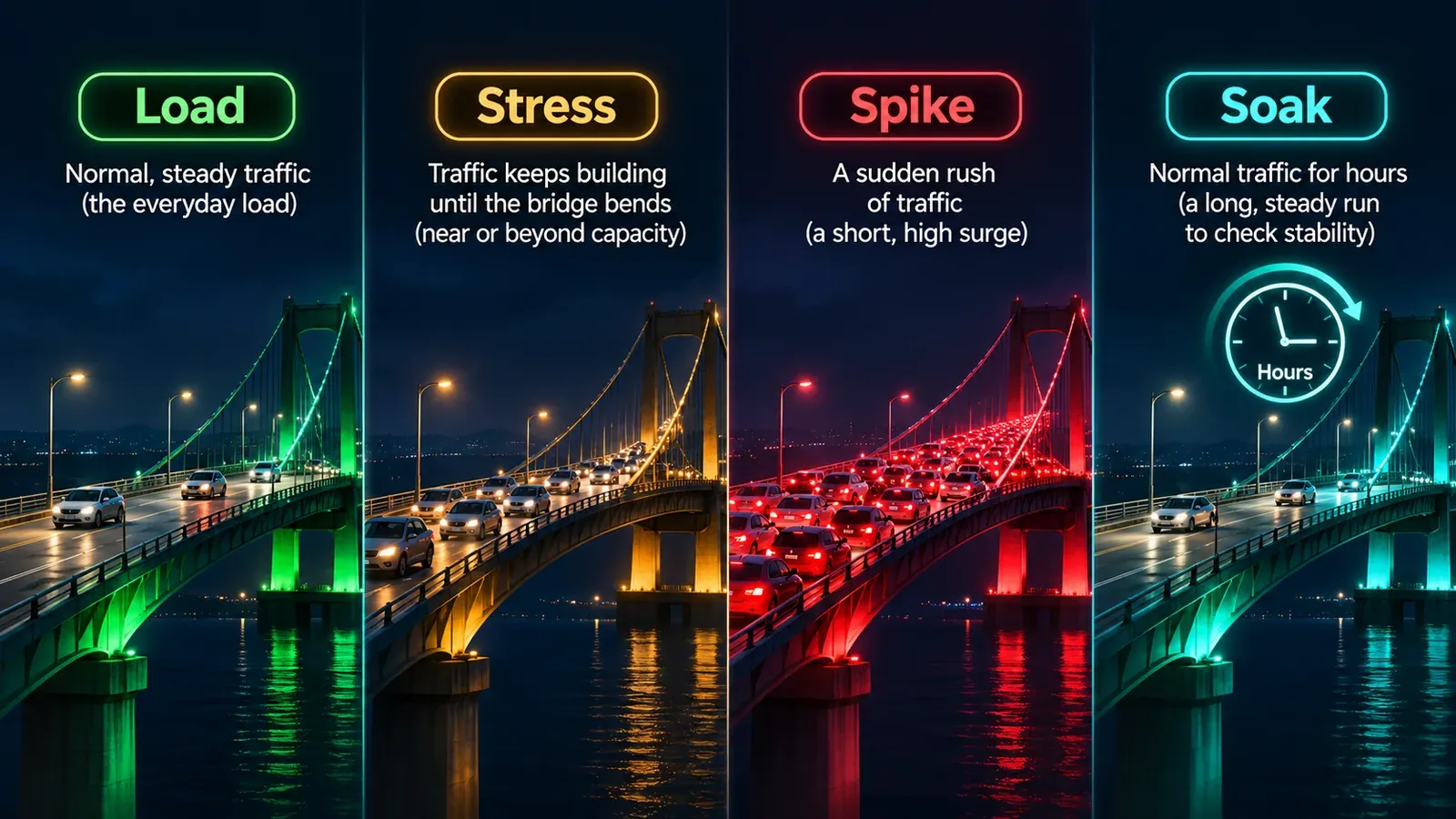
Load testing, stress testing, spike testing and soak testing are not four names for the same thing. Each one asks your system a different question:
- A load test asks: can we handle our normal busy day?
- A stress test asks: where do we break, and do we recover?
- A spike test asks: can we survive a sudden surge?
- A soak test asks: do we stay healthy after hours of steady use?
Pick the wrong one and you can pass every test and still go down on launch day. This guide explains what each test finds, when to run it, what to measure, and how to choose, with a simple decision table at the end.
The four tests at a glance
| Test | Traffic level | Duration | The question it answers | Typical problems it finds |
|---|---|---|---|---|
| Load (average load) | Your expected busy level | Mid (minutes to an hour) | Do we meet our performance targets under normal peak use? | Slow pages, slow queries, missing indexes, undersized servers |
| Stress | Above normal, rising | Mid | Where do we break, how do we fail, and do we recover? | Capacity limits, cascading failures, bad error handling, no recovery |
| Spike | Very high, suddenly | Short (a few minutes) | Do we survive a sudden surge, and how fast do we recover? | Autoscaling too slow, connection limits, cold caches, queue pile-ups |
| Soak (endurance) | Normal | Long (hours) | Do we stay healthy over time? | Memory leaks, resource exhaustion, disk filling, slow degradation |
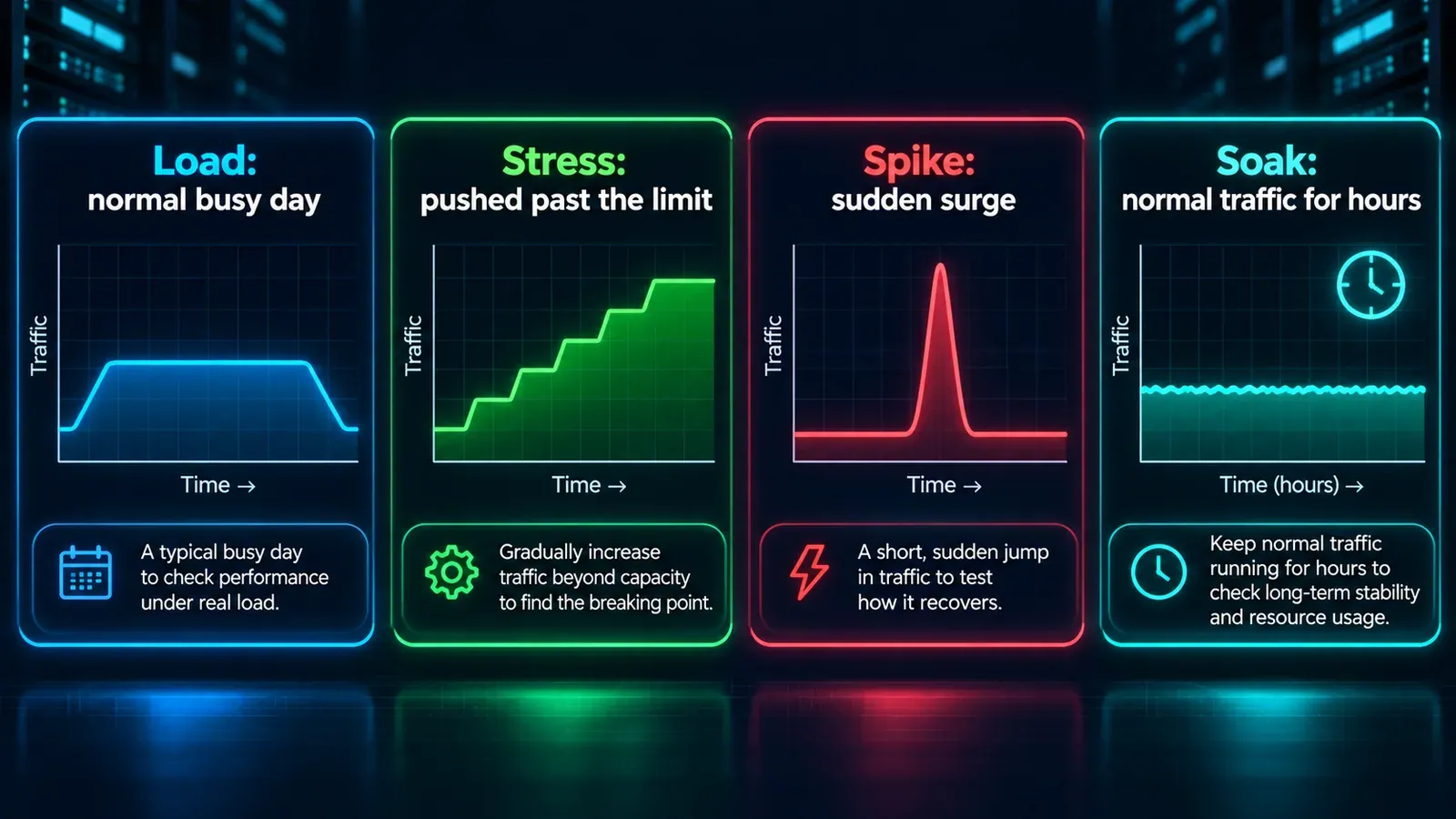
The durations above follow Grafana k6’s widely used guidance on test types. As the k6 documentation points out, the categories are relative: what counts as a stress test for one application is an average day for another. What matters is the shape of the traffic and the question you’re asking.
Two related tests complete the picture:
- A smoke test sends a tiny amount of traffic to confirm that your test setup works and the system responds correctly. Always run one first.
- A breakpoint test keeps increasing load, as long as necessary, until the system fails. It’s a stress test taken all the way to the limit, run occasionally to find your true ceiling.
Load testing: can we handle a normal busy day?
What it is. You simulate the number of visitors you expect at a typical peak, such as a Monday morning or the hour after a newsletter goes out, and hold that level for long enough to see stable results.
What it tells you. Whether you meet your performance targets under realistic conditions. It is your baseline: every other test is compared with it.
When to run it.
- After any meaningful change to code, infrastructure, database or caching
- Before a release, a migration or a hosting change
- On a regular schedule, so slow regressions show up as a trend
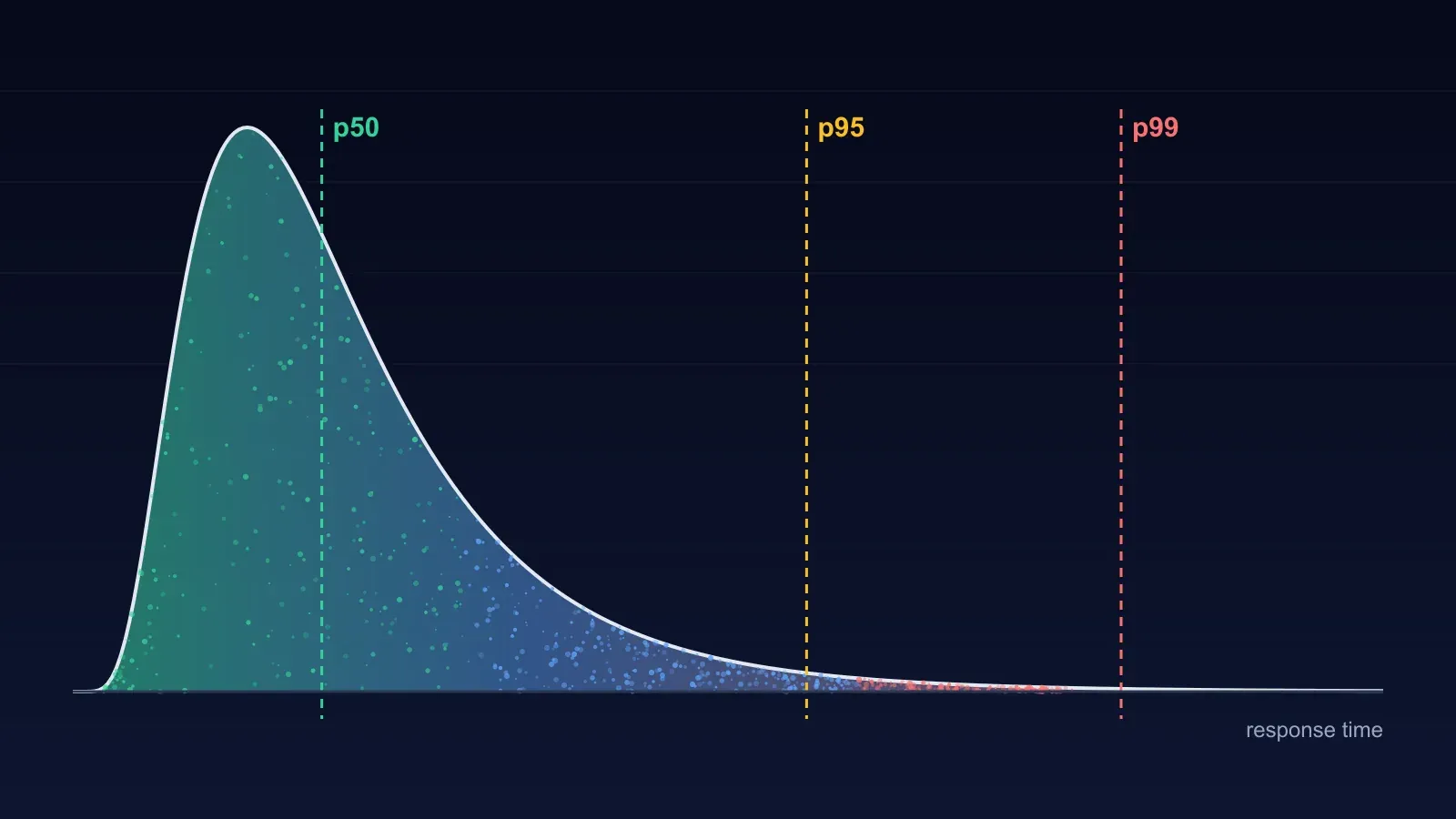
What to measure. Response times at the 95th and 99th percentiles, not just the average (an average can look healthy while one request in twenty takes ten seconds), plus the error rate, the requests per second the site sustains, and server CPU, memory and database load.
What a pass looks like. Response times inside your target, errors near zero, and no resource running close to its limit. If your database is at 90% CPU during a normal-load test, you have already found your next incident.
Stress testing: where do we break, and do we recover?
What it is. You keep raising the load above your normal level, step by step, and watch what happens as the system runs out of room.
What it tells you. Three things a load test can’t:
- Where the limit is. At what traffic level do response times climb steeply or errors begin?
- How it fails. Does the site slow down gracefully, return clear errors, or fall over completely? Does one struggling part, such as the database, drag everything else down with it?
- Whether it recovers. When the load drops back, does the site return to normal on its own, or does it need someone to restart something?
When to run it. Before an event that could bring well above normal traffic, after a major architecture change, and whenever you need to know your real safety margin rather than guess it.
Why recovery matters most. A site that slows down under extreme load and recovers within a minute is in a very different position from one that stays broken until someone restarts it. Many outages aren’t caused by the traffic peak itself but by a system that can’t recover once the peak has passed. Always keep measuring for a while after the load stops.
Spike testing: can we survive a sudden surge?
What it is. Traffic jumps from normal to very high almost instantly, holds briefly, then drops back. The key difference from a stress test is the speed of the increase: seconds, not a gradual climb.
What it tells you. Whether the parts of your system that react to demand react fast enough. Autoscaling that takes three minutes to add servers doesn’t help with a surge that peaks in thirty seconds. Spikes also expose connection limits, cold caches and queues that fill faster than they drain.
Real-world spikes to plan for:
- A flash sale, a product launch or ticket release
- A post going viral, or a mention on TV or in a popular newsletter
- A marketing email sent to your whole list at once
- Bursts of automated traffic from bots and AI agents, which increasingly arrive in short, heavy waves (we covered this in AI agent traffic is changing how websites break)
What to measure. Error rate during the spike, how long response times stay elevated, whether autoscaling triggered and how long it took, and the time to return to normal after the spike ends.
Soak testing: do we stay healthy over time?
What it is. A normal level of traffic, held for hours. Nothing dramatic happens to the load. The point is to see what happens to the system over time.
What it tells you. Problems that only appear with duration, which no short test will catch:
- Memory leaks: memory use creeps up until the process crashes or slows down
- Resource exhaustion: database connections, file handles or threads that are taken and never released
- Disks filling: logs, temporary files or uploads that grow without limit
- Slow degradation: response times that drift upward hour by hour, often from growing tables, fragmented caches or scheduled jobs that collide with traffic
When to run it. After significant changes, before relying on a system for a long event, and whenever you’ve had an incident that “happened after a few days of running fine”.
What to measure. The trend, not the snapshot. Plot memory, response time and error rate across the whole run. A flat line is a pass; a slow upward slope is a bug, even if every individual number looks acceptable.
Which test do you need? A simple way to choose
Start with the risk that worries you most.
| If your biggest worry is… | Run this first | Then |
|---|---|---|
| “Are we fast enough on a normal busy day?” | Load test | Repeat after every significant change |
| “What happens if traffic doubles or triples?” | Stress test | A breakpoint test once, to find the ceiling |
| “A launch, sale or viral moment could hit us all at once” | Spike test | Load test the new peak level you’ll need |
| “Things go wrong after the system has been running for a while” | Soak test | Add monitoring for the resource that leaked |
| “We’ve never tested anything” | Smoke test, then load test | Build up from there |
A sensible order for a team starting out: smoke → load → stress → spike → soak. Each step builds on the baseline from the one before, so you can tell whether a change in results comes from the test or from the system.
No single test removes all risk. The k6 documentation makes the same point: some systems are more at risk from long periods of use, so soak testing should come first, while others are more at risk from intense bursts, where stress and spike tests matter most.
How to run a meaningful test
The test type is only half the job. A badly designed test gives you confident, wrong answers.
- Test only systems you own or have written permission to test. Heavy test traffic aimed at someone else’s site can disrupt it and may be illegal.
- Know your real traffic first. Use your analytics to find your actual peak visitors, busiest pages and traffic pattern. A test based on a guess tests the guess.
- Define pass and fail before you start. For example: “95% of requests under 1 second and errors under 1% at 500 concurrent users.” Without a target, every result looks fine.
- Use a realistic environment. A test against a tiny staging server tells you little about production. If you test production, do it at a quiet time, with the team watching and a way to stop the test immediately.
- Watch both sides. The response times your test tool reports, and what’s happening on your servers and database during the test. The cause is usually on the server side.
- Watch your caching. If your test hits the same few URLs over and over, the CDN serves almost everything from cache and your origin barely notices. Real traffic, and especially bot and crawler traffic, is far less cache-friendly.
- Change one thing at a time, then re-run the same test, so you know what made the difference.
- Keep the results. A test is most useful as a comparison with last month’s run.
Common mistakes
- Reading only the average response time. It hides the slow requests that real users feel.
- Stopping the test the moment load stops. You miss the recovery, which is often the most important result.
- Testing once, before launch, and never again. Performance drifts with every release.
- Treating a load test as a stress test. Passing at expected traffic tells you nothing about what happens at twice that level.
- Ignoring dependencies. Your site may hold up while a payment provider, search service or third-party API you rely on doesn’t. Know which parts are outside your control.
How to run these tests with BCDRPulse
BCDRPulse turns load and stress testing into a graded report with a written summary of what slowed down and why.
- Load testing simulates visitors against your verified site and measures response times and throughput: your baseline load test.
- Stress testing applies escalating pressure to show where the site breaks, how it degrades and how it recovers.
- Cloud load testing and Cloud stress testing run the same kinds of tests at larger scale from cloud infrastructure, with hundreds of concurrent users, including recovery after the load lifts.
- Continuous resilience reruns checks on a schedule, so regressions show up as a trend.
Every test requires DNS verification that you own the domain, so the platform can never be pointed at someone else’s site. Load and stress testing are on the Pro plan; cloud-scale testing and continuous resilience are on Business. See pricing for which plan includes each. If you need to know how quickly you must recover after something does go wrong, see RTO and RPO explained.
Sources.
Frequently asked questions.
What is the difference between load testing and stress testing?
A load test checks how your site performs under the traffic you expect, such as a normal busy day. A stress test pushes past that level on purpose to find where the site starts to slow down or fail, how it fails, and whether it recovers. Load testing confirms you're ready; stress testing tells you how much margin you really have.
What is spike testing?
A spike test hits the system with a sudden, very large jump in traffic over a short time, then drops back. It answers whether your site survives a flash sale, a viral post or a burst of automated traffic, and how fast it returns to normal. The ramp is what matters: seconds, not minutes.
What is soak testing?
A soak test, also called an endurance test, runs a normal level of traffic for hours. It finds problems that only appear with time, such as memory leaks, connection pools that slowly run out, logs filling a disk, or performance that degrades after a cache expires.
Which performance test should I run first?
Start with a small smoke test to check your setup works, then an average-load test at your normal busy level to get a baseline. Only then move to stress, spike or soak tests, depending on your biggest risk: sudden peaks, rare extreme demand, or long periods of steady use.
How often should I load test my website?
Run a baseline load test after any significant change to your code, hosting, database or caching, and before any event you expect to bring more traffic. Many teams also schedule a recurring test, weekly or monthly, so a slow regression shows up as a trend rather than an incident.
Can I load test a website I don't own?
No. Sending heavy test traffic to a site you don't own or control can disrupt it and may be illegal in many countries. Reputable testing platforms require proof that you own the site before they will send load to it. BCDRPulse requires DNS verification for every test.
What metrics matter most in a load test?
Response time percentiles (p95 and p99, not just the average), error rate, throughput (requests per second), and server-side signals such as CPU, memory and database load. For stress and spike tests, also measure recovery time: how long the site takes to return to normal once the load drops.
Published . Last updated .
Founder, BCDRPulse
Founder of BCDRPulse. Enterprise backup and data protection since 2007, supporting Fortune 500 companies. Writes guides to keeping a site up, fast and secure, and to proving it.