Ransomware now goes after your backups first: how to make recovery survive an attack
On this page
Ransomware groups now try to destroy your ability to recover before they encrypt anything, so having backups is no longer enough. Recovery survives an attack only when at least one copy can’t be deleted, the backup system runs on identities the attacker can’t reach, and you have proven by restoring that the business comes back in the order and time you need.
That shift is now documented by the people who clean up after these attacks. Mandiant’s M-Trends 2026 report, based on more than 500,000 hours of incident investigations in 2025, describes ransomware evolving into “recovery denial”: operators deliberately going after backups, identity services and virtualization platforms so that the victim is left with two options, pay or rebuild. This guide explains how that attack chain works, then walks through the controls that break it: the 3-2-1-1-0 rule, immutable backups, identity separation, hypervisor hardening and restore testing built around a minimum viable company. It ends with a 12-point survivability checklist and a first-24-hours recovery sequence.
Why attackers hit backups first
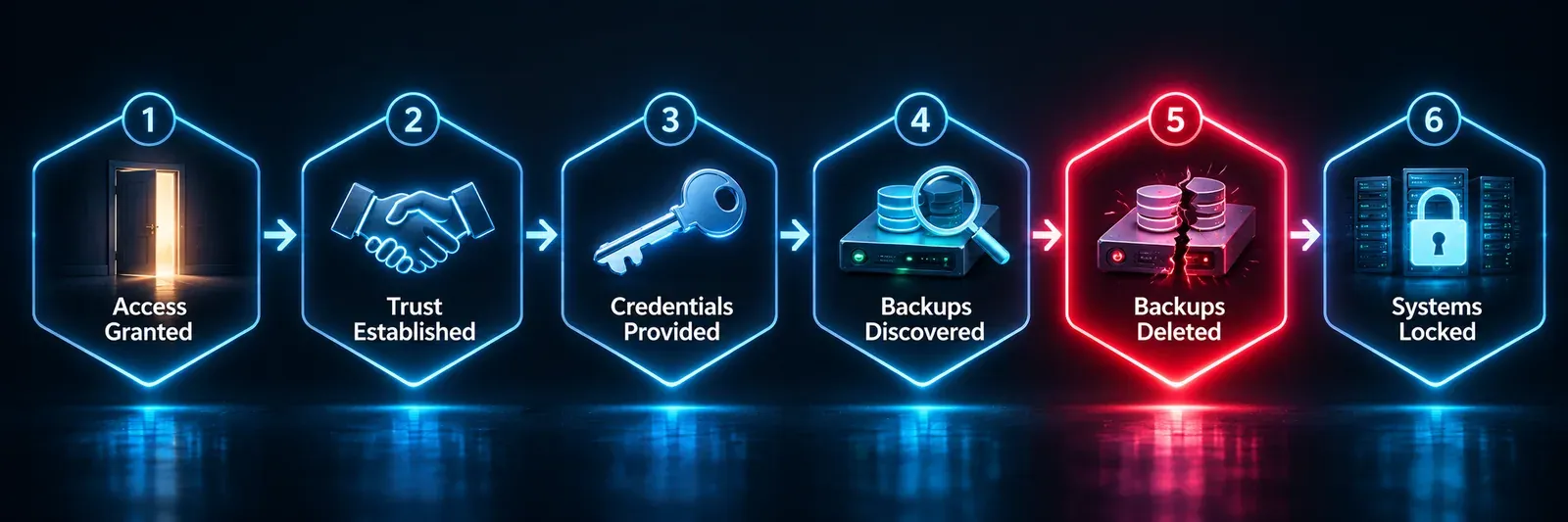
A modern ransomware attack is less a single piece of malware and more a sequence of steps. Encryption comes last. The steps before it are designed to make sure you can’t simply restore and walk away.
| Stage | What the attacker does | What it means for your backups |
|---|---|---|
| 1. Get in | Exploit an unpatched system, use stolen credentials, or buy access | Exploits were the most common way in for the sixth year running, at 32% of intrusions Mandiant investigated in 2025 |
| 2. Hand off | The initial access broker passes the foothold to a ransomware crew | In 2025 the median handoff took 22 seconds, down from more than 8 hours in 2022, per Mandiant. Assume no quiet period |
| 3. Take identity | Dump credentials, abuse Active Directory, create new admin accounts | Mandiant saw attackers abusing misconfigured Active Directory Certificate Services templates to create admin accounts that dodge password rotation |
| 4. Find recovery systems | Locate backup servers, consoles, cloud storage and hypervisors | Google’s threat intelligence team saw attackers harvesting credentials stored inside Veeam’s configuration database in about 10% of the ransomware intrusions it handled |
| 5. Destroy recovery | Delete backups, snapshots and shadow copies; stop backup jobs | Mandiant reports operators deleting backup objects from cloud storage. Google’s researchers describe attackers using a backup server to delete vCenter backup volumes before encrypting |
| 6. Encrypt at scale | Encrypt hypervisor datastores or the virtualization storage layer | One action takes down every virtual machine on that storage at once |
Mandiant names two of the most active groups doing this, Akira and Qilin, which it tracks by their ransomware families REDBIKE and AGENDA. The pattern isn’t tied to any one backup product. Google’s researchers describe one incident where attackers used a server’s out-of-band management controller to boot a nine-node Cohesity cluster into an outside Linux image, overwriting the backup appliance’s operating system. If an attacker controls your identity system and your management networks, the brand of your backup software matters far less than how it was deployed.
What a lost backup costs
The clearest numbers on this come from Sophos, a security vendor, in a survey of 2,974 organisations hit by ransomware, run in early 2024 by the research firm Vanson Bourne. They are vendor figures and are now more than two years old, but they show the stakes:
- 94% of victims said attackers tried to compromise their backups, and 57% of those attempts succeeded.
- Organisations whose backups were compromised were almost twice as likely to pay the ransom (67% versus 36%).
- Their median recovery cost was $3 million, against $375,000 for those whose backups survived.
When backups survive, they get used. Sophos’s State of Ransomware 2026 survey of 2,158 victims found that backups were used to recover in 66% of attacks where data was encrypted, and that 48% of organisations with encrypted data paid the ransom, the lowest rate in three years. The difference between those outcomes is mostly decided before the attack, by the controls below.
From the 3-2-1 backup rule to 3-2-1-1-0
The 3-2-1 backup rule has been standard advice for two decades. The UK’s National Cyber Security Centre (NCSC) has long recommended it: at least three copies, on two different devices or media, with one off-site.
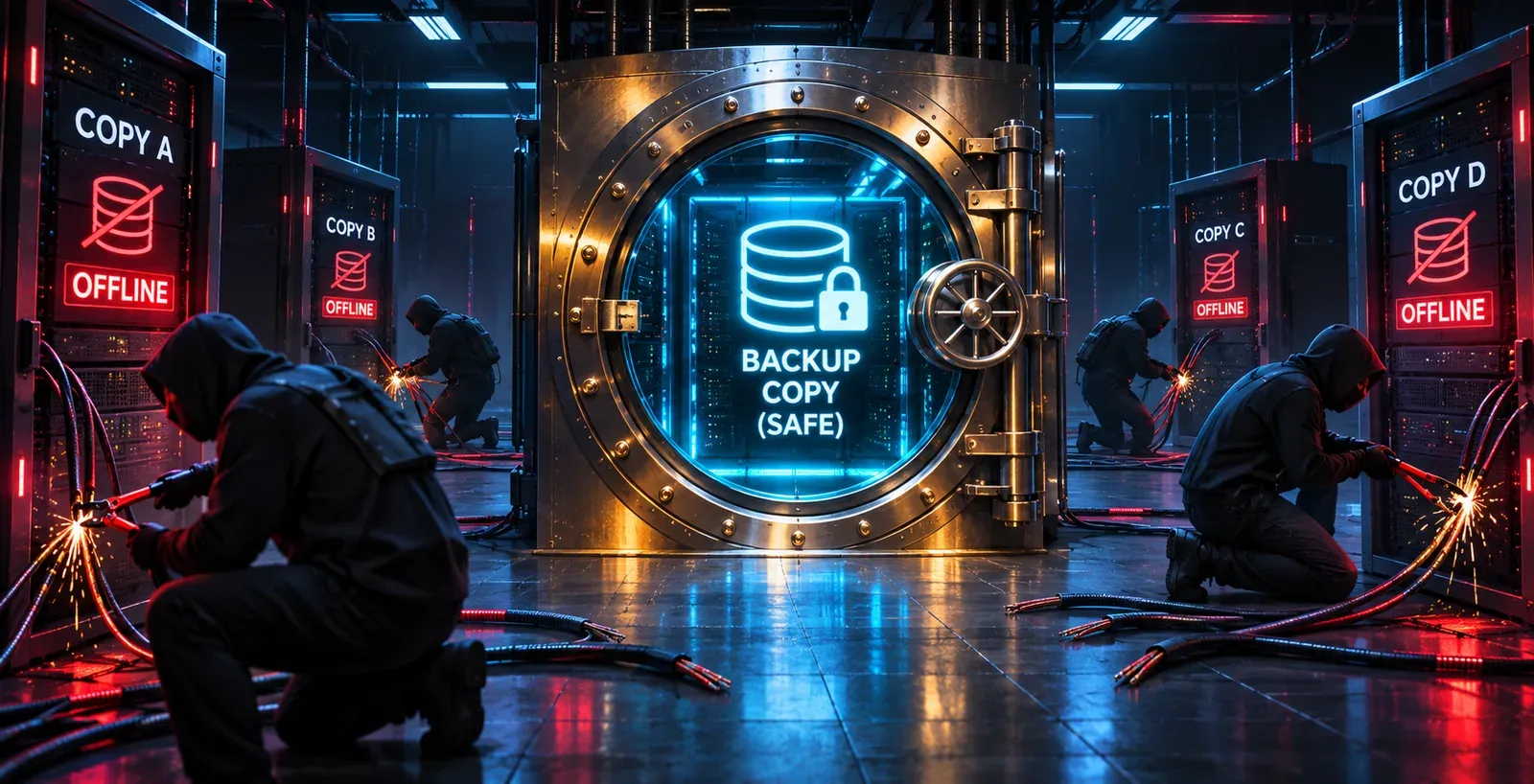
The problem is that 3-2-1 was designed for fires, floods and failed disks, not for an intruder with domain admin rights. If all three copies are online and reachable with the same credentials, an attacker can delete all three in an afternoon. CISA’s #StopRansomware Guide makes the same point: many ransomware strains search for reachable backups and delete or encrypt them, which is why it calls for offline, encrypted backups that are tested regularly.
The 3-2-1-1-0 rule, popularised by Veeam, adds two digits that address exactly that gap:
| Digit | Meaning | What it protects against |
|---|---|---|
| 3 | Three copies of the data: the original plus two backups | A single copy being lost or corrupted |
| 2 | Two different types of storage (for example disk and cloud object storage, or disk and tape) | One storage platform failing or being attacked |
| 1 | One copy off-site | Losing the primary site |
| 1 | One copy that is immutable or offline (air-gapped) | An attacker with admin rights deleting or encrypting backups |
| 0 | Zero errors after a verified test restore | Discovering during an incident that backups can’t actually be restored |
The last two digits do the heavy lifting against ransomware. The first is about making one copy untouchable. The second is about proving it works.
Immutable backup options, explained simply
An immutable backup is a copy that cannot be changed or deleted until a set date, even by an administrator. Most implementations use a write-once-read-many (WORM) model: data can be written once and read as often as needed, but not overwritten.
Amazon S3 Object Lock is a useful reference, because the same two modes show up across vendors. In compliance mode, no user can overwrite or delete a protected object before its retention date, including the account’s root user; AWS says the only early way out is deleting the whole AWS account. In governance mode, ordinary users are blocked but anyone holding a specific bypass permission can override the lock. That is handy for fixing mistakes, and it is exactly the permission an attacker will hunt for. Object Lock also requires versioning to be turned on.
| Option | How it works | Strength against an attacker with admin rights | Watch out for |
|---|---|---|---|
| Object lock, compliance mode | WORM retention on cloud or on-premises object storage | Strong: nobody can shorten or remove the lock | A wrong retention setting can’t be undone, so you pay to store data longer |
| Object lock, governance mode | WORM retention that privileged users can bypass | Only as strong as control of the bypass permission | Avoid it for your last-resort copy |
| Locked backup vault | The backup service refuses deletions in a locked vault; AWS Backup Vault Lock in compliance mode becomes unchangeable after a grace period of at least 72 hours | Strong once the grace period ends | AWS deletes vault contents 90 days after an account is closed, even if locked |
| Hardened Linux repository | On-premises Linux target with local-only accounts, remote access off and filesystem immutability flags | Strong if truly isolated | Out-of-band management cards and physical access can undo it |
| Offline media (tape, removable disk) | The copy is physically disconnected | Very strong: nothing to reach | Slow to restore at scale; needs disciplined rotation |
| Separate backup account or tenant | Backups copied into a cloud account with its own identities | Strong when combined with a lock | Shared single sign-on quietly re-creates the dependency |
Three limits apply to every option:
- Immutable doesn’t mean clean. If the attacker was inside for weeks, locked backups may contain their tools or backdoor accounts. Scan restored systems before reconnecting them.
- Protect the keys. An attacker who destroys your backup encryption keys makes an immutable copy useless. NCSC’s principles for ransomware-resistant cloud backups call for robust key management and suggest an offline key backup.
- Retain long enough. Mandiant found the global median dwell time, how long attackers sat inside before being detected, rose to 14 days in 2025, up from 11. Half of intrusions lasted longer. If immutable copies only go back seven days, your last clean restore point may be gone before you notice. NCSC recommends keeping backups by time period rather than by count.
Separate backup identity from everyday identity
Immutability protects the data. Identity separation protects the system that manages it. Mandiant’s recommendation is direct: backup environments should be decoupled from the corporate Active Directory domain. If an attacker owns your domain, they shouldn’t automatically own your backups.
In practice that means:
- Don’t join backup servers to the production domain. Use local accounts or a separate management domain with no trust back to production.
- Use dedicated backup admin accounts with phishing-resistant MFA, never someone’s everyday account. CISA recommends phishing-resistant MFA especially for accounts that access critical systems.
- Let backup clients add data, not delete it. NCSC notes that a client with only the right to create new data can’t overwrite existing backups.
- Require a second approval or a delay for deletions and retention changes, through a separate channel, as NCSC suggests, so one stolen account can’t wipe history.
- Make sure no single account can lock you out by removing every other account that can reach the backups (NCSC’s second principle).
- Alert on destructive actions out of band. Mass deletions, stopped jobs and retention changes should raise an alert, even when they fail, through a channel that still works if email and chat are compromised.
Break-glass accounts
A break-glass account (Microsoft calls it an emergency access account) is a tightly controlled admin account kept for when normal sign-in is broken or untrusted, which is exactly the situation during a ransomware attack. Microsoft’s guidance is a good template whatever platform you use: keep at least two; make them cloud-only, not federated or synchronized from on-premises Active Directory; use passkeys (FIDO2) or certificates, not the methods your other admins use; alert on every sign-in; test them at least every 90 days; and store the credentials in secure, separate physical locations. Keep a sealed equivalent for your backup platform too.
Treat the hypervisor as tier-0
Tier-0 is the label for systems that control everything else, traditionally domain controllers. Mandiant now says virtualization and management platforms belong in that tier, with the strictest access limits. The reason is leverage: encrypting the hypervisor’s datastores disables every virtual machine on them at once, which is much faster than encrypting servers one by one.
Google’s ransomware research shows what attackers do once they reach VMware environments: change root passwords on ESXi hosts, turn on SSH, switch off the setting that only allows installed software to run (execInstalledOnly) so they can launch their own encryptor, and edit lockdown mode exception lists in vCenter. In one case a single script logged into vCenter, reset root passwords, enabled SSH, deleted backups, shut down virtual machines and launched the ransomware.
Each of those steps suggests a control:
- Give vCenter its own identity source, or a dedicated admin group that doesn’t inherit from domain admins, with MFA.
- Keep SSH off on hosts, leave
execInstalledOnlyenforced, use lockdown mode, and alert on any change to all three. - Isolate management networks, including the out-of-band management cards on physical servers.
- Keep backups off the hypervisor’s own storage, and keep vCenter’s configuration in your immutable tier.
- Vault hypervisor root passwords, so an unexpected reset is noticed.
Restore testing and the minimum viable company
A backup you have never restored is an assumption. The 0 in 3-2-1-1-0 exists because restore failures are usually discovered at the worst possible time.
The bigger gap is often not technical but about priorities. In research commissioned by Cohesity, a data security vendor, and run by Vanson Bourne in July 2026 among 3,200 IT and security decision-makers at organisations with 1,000 or more employees in 12 countries:
- 78% said their cyber recovery efforts focus on restoring systems rather than keeping the business running.
- Only 37% had formally documented a minimum viable company (MVC) plan, and only 22% had both documented and tested one.
- Among organisations that had suffered a material attack in the past year, 60% reported delays because they weren’t confident restored systems were clean, and 60% hit identity or access problems after restoring.
These are vendor figures, but the point stands: restoring “everything” isn’t a plan. It’s a queue, and the wrong systems end up at the front.
What a minimum viable company is
A minimum viable company is the smallest set of systems, data and people your business needs to keep operating after a severe attack. Defining it decides what is restored first, exposes dependencies you’d otherwise discover mid-incident, and gives you a realistic target to test against. Here is a worked example for a mid-sized SaaS or e-commerce company:
| Restore order | What’s in it | Why it comes here |
|---|---|---|
| Tier 0: foundations | Clean identity, DNS, core networking, backup console, hypervisor management | Nothing is safe to restore until you trust who signs in and where traffic goes |
| Tier 1: revenue and customers | Production database, customer-facing app or storefront, payments and checkout, status page | Where every hour of downtime costs most |
| Tier 2: running the business | Email, support ticketing, fulfilment, finance and payroll | Needed within days; often SaaS that wasn’t encrypted |
| Tier 3: everything else | Analytics, wikis, test environments, archives | Restore once stable; some are easier to rebuild |
For each tier, record the systems, dependencies, source backup, owner and target time. Then test it.
Measure real RTO and RPO in drills
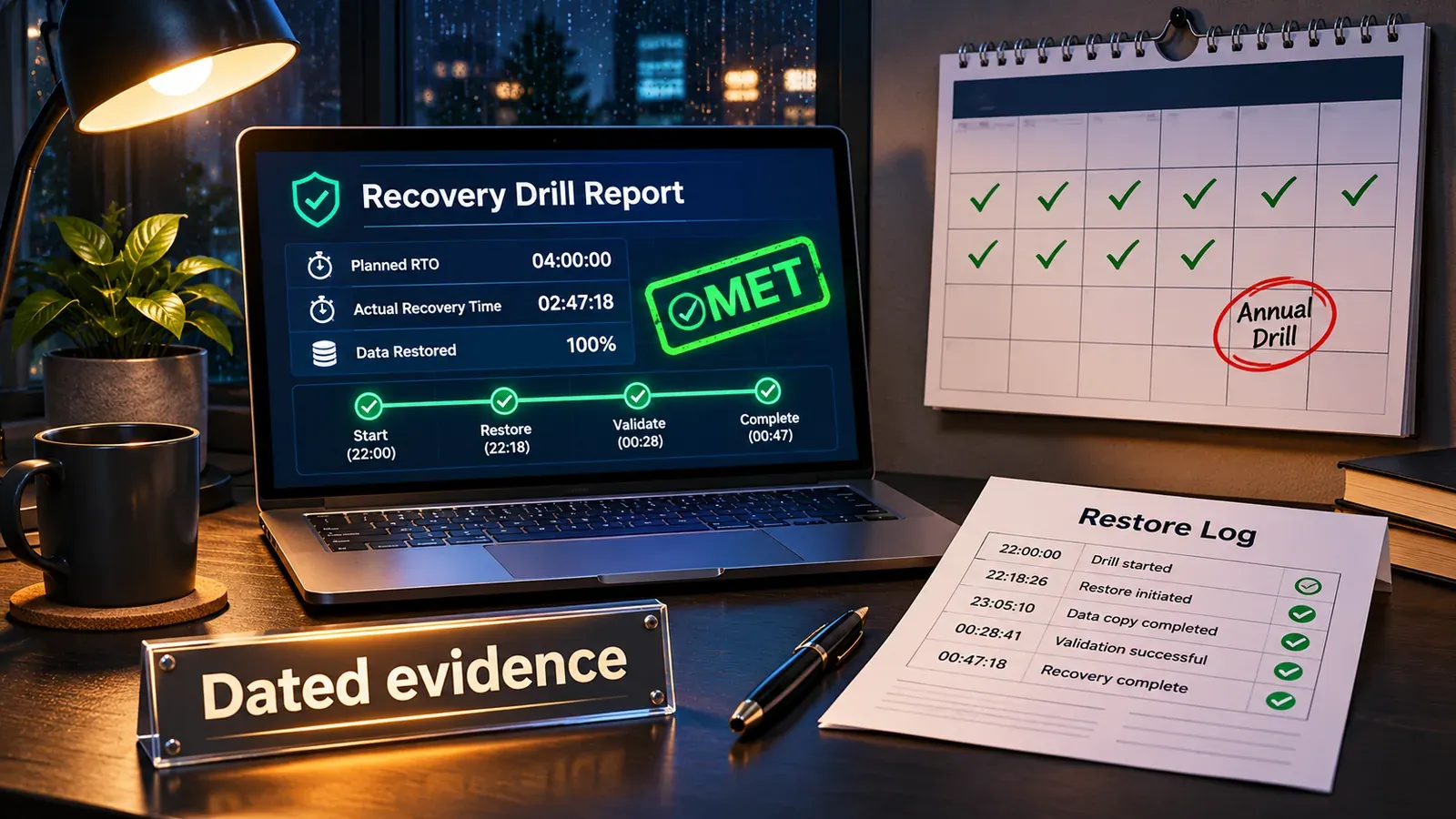
Recovery time objective (RTO) is how long you can afford to be down; recovery point objective (RPO) is how much data you can afford to lose (see RTO vs RPO). In a drill, record what actually happened:
- Actual RTO: the time from declaring the incident to the service working for a real user, not to “restore job complete.”
- Actual RPO: the timestamp of the restore point you could safely use. In a ransomware case that is the last clean point, which may be days older than the last backup.
- Blockers: every missing credential, unlisted dependency and manual step.
Restore into an isolated network, scan what comes back, and use known-good “golden images” for rebuilding servers where you can, as CISA recommends. Timed, documented drills are also the evidence auditors ask for; see how to prove disaster recovery for SOC 2.
The author has worked in enterprise backup and data protection since 2007, supporting Fortune 500 companies. The lesson worth taking from the Cohesity numbers is that restoring data is mature technology. What decides most outcomes is whether the restore order and the access have been practised in advance.
The backup survivability checklist
Use this as a quarterly review. Each control is only “done” when the verification step has actually been carried out.
| # | Control | Why it matters | How to verify |
|---|---|---|---|
| 1 | At least one immutable or offline copy of every Tier 0 and Tier 1 system | Attackers with admin rights delete everything reachable | Try deleting a protected restore point as your top backup admin; it should fail |
| 2 | Strict-mode immutability (compliance mode or equivalent) for the last-resort copy | Governance-style locks can be bypassed by privileged accounts | List who holds bypass permissions: nobody, or a sealed break-glass account |
| 3 | Immutable retention longer than likely dwell time, kept by time period | Median dwell time was 14 days in 2025 | Check the date of the oldest immutable Tier 1 restore point |
| 4 | Backup servers not joined to the production domain | A compromised domain shouldn’t reach backups | Check domain membership and trusts on each backup server |
| 5 | Dedicated backup admin accounts with phishing-resistant MFA | Stolen everyday credentials shouldn’t open the backup console | Review role assignments and each account’s MFA type |
| 6 | Second approval or delay on deletions and retention changes | One stolen account shouldn’t wipe history | Change a test policy’s retention; confirm it waits for approval |
| 7 | Out-of-band alerts on deletions, stopped jobs and retention changes | You need to know the moment recovery is under attack | Trigger a test event; confirm the alert arrives outside email and chat |
| 8 | Backup encryption keys protected, with an offline copy | Destroyed keys make immutable backups unreadable | Confirm two named people can retrieve the offline key copy |
| 9 | Hypervisor and vCenter treated as tier-0 (own identity, MFA, SSH off, lockdown mode) | Encrypting datastores takes down every VM at once | Audit vCenter identity sources, admin groups and host SSH status |
| 10 | Two or more break-glass accounts, tested every 90 days | A trusted way in when normal sign-in is compromised | Sign in with each and confirm the alert fired |
| 11 | A documented and tested minimum viable company restore order | Restoring “everything” puts the wrong systems first | Produce the last drill report |
| 12 | Measured RTO and RPO from a timed restore drill | Planned recovery times are guesses until measured | Compare actual times with targets; record the gap |
The first 24 hours of recovery
Your incident response plan, legal counsel and insurer come first, but the order of work is similar enough to sketch. Keep a printed or offline copy of your plan, as CISA advises: your documentation system may be encrypted too.
- Contain (first hour). Isolate affected systems, but don’t wipe them: you need the evidence. Activate the plan and your out-of-band communication channel.
- Protect what’s left of recovery. Confirm immutable and offline copies are intact. From a known-clean device, rotate backup console credentials and lock out any account you can’t vouch for.
- Establish clean identity. Sign in with break-glass accounts and treat every existing admin account as compromised until proven otherwise.
- Choose a restore point. Estimate when the intrusion started and restore from before it, remembering the attacker may have been inside for weeks.
- Rebuild Tier 0 in an isolated network, from golden images where possible.
- Restore Tier 1 and scan it for persistence and attacker tools before reconnecting. CISA warns against reinfecting clean systems during recovery.
- Reopen gradually and watch closely. Monitor services from outside your network, communicate honestly, and meet reporting obligations, which can have strict deadlines.
Few organisations finish all seven in 24 hours. The aim is to know the order in advance, so the first day is spent executing, not deciding.
How to confirm recovery is holding with BCDRPulse
BCDRPulse doesn’t back up or restore data. Its role starts once your services are restored: checking from outside that public-facing sites are actually back and staying up.
- Uptime monitoring (free plan) checks your verified sites every 5 minutes and sends up/down alerts by email and webhook, so a restored service that falls over again is noticed quickly.
- Continuous resilience (Business plan) runs scheduled checks that the site keeps holding and recovering in the days after you reopen.
- Load testing (Pro) lets you confirm a rebuilt stack can take real traffic before you announce you’re fully back, and an automated security scan grades your rebuilt public site A to F. It is an automated assessment, not a penetration test.
Every test requires verifying the domain as yours through a DNS record. See pricing for plan details.
The bottom line
Ransomware has moved from encrypting data to denying recovery, and attackers reach your backups through identity and management systems. The defence follows the same lines: one copy that can’t be deleted, kept long enough to outlast the attacker’s time inside; a backup and virtualization layer your everyday identity system can’t control; and a minimum viable company you have restored and timed before you need it.
The organisations that recover without paying aren’t the ones with the most copies. They’re the ones that made sure one copy, one way in and one tested plan would survive.
Sources.
- 1. Mandiant (Google Cloud), M-Trends 2026 (24 March 2026) (opens in a new tab) cloud.google.com
- 2. Google Threat Intelligence Group, Ransomware Under Pressure: Tactics, Techniques, and Procedures in a Shifting Threat Landscape (16 March 2026) (opens in a new tab) cloud.google.com
- 3. Cohesity, Research finds most cyber recovery plans are built for the wrong outcome (16 September 2026) (opens in a new tab) www.cohesity.com
- 4. CISA, #StopRansomware Guide (September 2023) (opens in a new tab) www.cisa.gov
- 5. NCSC (UK), Principles for ransomware-resistant cloud backups (22 November 2024) (opens in a new tab) www.ncsc.gov.uk
- 6. NCSC (UK), Offline backups in an online world (13 August 2019) (opens in a new tab) www.ncsc.gov.uk
- 7. Sophos, The impact of compromised backups on ransomware outcomes (2024 survey) (opens in a new tab) www.sophos.com
- 8. Sophos, The State of Ransomware 2026 (opens in a new tab) assets.sophos.com
- 9. AWS, Locking objects with Object Lock (Amazon S3 User Guide) (opens in a new tab) docs.aws.amazon.com
- 10. AWS, AWS Backup Vault Lock (AWS Backup Developer Guide) (opens in a new tab) docs.aws.amazon.com
- 11. Microsoft, Manage emergency access admin accounts (updated 5 June 2026) (opens in a new tab) learn.microsoft.com
- 12. Veeam, The 3-2-1 backup rule (updated 3 July 2026) (opens in a new tab) www.veeam.com
Frequently asked questions.
What is the 3-2-1 backup rule?
Keep three copies of your data (the original plus two backups), on two different types of storage, with at least one copy off-site. It protects against hardware failure, site loss and simple mistakes. On its own it does not stop ransomware, because an attacker with admin access can reach and delete every copy that is online.
What is the 3-2-1-1-0 backup rule?
It is an extension of 3-2-1, popularised by the backup vendor Veeam. The extra 1 is one copy that is immutable or offline, so an attacker can't change or delete it. The 0 means zero errors when you test a restore, which means you have actually proven the backups can be recovered rather than assuming they can.
What is an immutable backup?
An immutable backup is a copy that cannot be changed or deleted until a set retention date, even by an administrator. It is usually built on write-once-read-many (WORM) storage, such as Amazon S3 Object Lock in compliance mode, a locked backup vault, or a hardened Linux repository. Immutability protects the copy from deletion; it does not guarantee the copy is free of malware.
Can ransomware delete immutable backups?
If immutability is set up properly in a strict mode, the locked copies themselves cannot be deleted before their retention date, not even by the account's root user. Attackers work around that instead: they delete copies that were never locked, abuse permissions that bypass weaker governance-style locks, destroy encryption keys, or take over the backup console and stop new backups. That is why identity separation and alerting matter as much as the lock.
How do you protect backups from ransomware?
Keep at least one immutable or offline copy, run backup systems on identities that are separate from your corporate Active Directory, and protect backup admin accounts with phishing-resistant MFA. Treat hypervisors and their management consoles as your most sensitive systems, alert on any deletion or retention change, and test restores on a schedule so you know recovery works.
What is a minimum viable company in ransomware recovery?
A minimum viable company is the smallest set of systems, data and people your business needs to keep operating after a severe attack. Defining it tells you what to restore first and in what order. In Cohesity's 2026 vendor-commissioned survey, only 22% of organisations had both documented and tested one.
How long should backups be kept to recover from ransomware?
Long enough that a clean restore point still exists after an attacker has been inside unnoticed. Mandiant measured a global median dwell time of 14 days in 2025, which means many intrusions last longer. A seven-day retention window is too short for that reality; keep immutable copies by time period, not by count, and hold some older restore points as well.
How often should you test backup restores?
Test restores of individual systems routinely, ideally automatically after backup jobs, and run a full recovery drill of your minimum viable company at least once or twice a year and after major infrastructure changes. Time each drill so you know your real recovery time, not the one written in the plan.
Published .
Founder, BCDRPulse
Founder of BCDRPulse. Enterprise backup and data protection since 2007, supporting Fortune 500 companies. Writes guides to keeping a site up, fast and secure, and to proving it.