DigiCert G5 root migration on 12 November 2026: what website owners need to know
On this page
On 12 November 2026, between 18:00 and 20:00 UTC, DigiCert changes which root certificate sits at the top of the chain for every public TLS certificate it issues. New orders, renewals, reissues and duplicates will chain by default to its fifth-generation roots, DigiCert TLS RSA4096 Root G5 and DigiCert TLS ECC P384 Root G5, instead of the Global Root G2 and G3 that have been the default since March 2023. The date was moved back once already, from 15 October.
For most websites this is a change you will never notice: your next renewal arrives with a different chain file, you install it as you always have, and the padlock looks the same. For a minority it is a change that breaks something on a date you can see coming. This article explains what moves, who is in that minority, the 2027 deadlines that follow, and a short checklist.
What actually changes
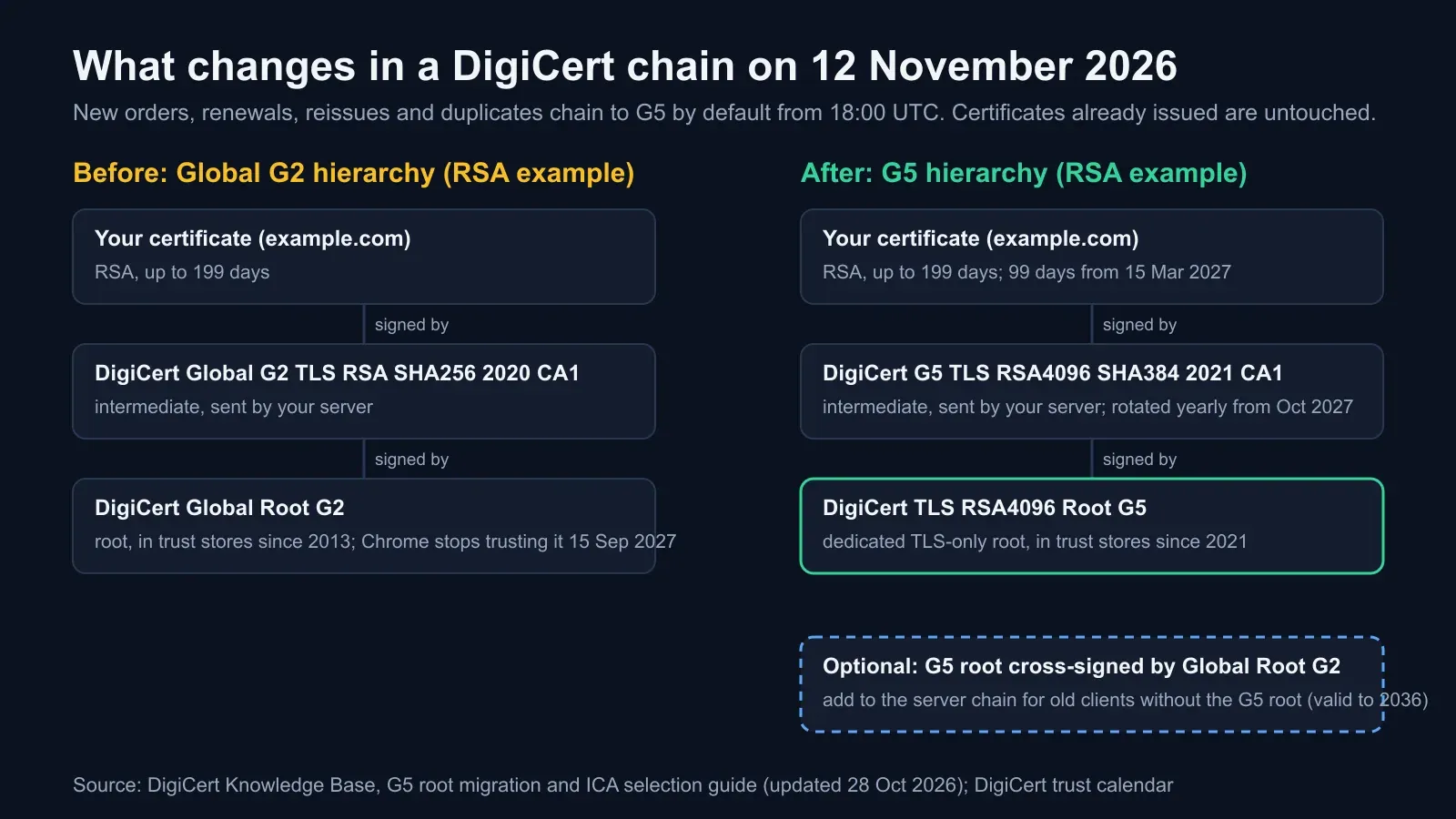
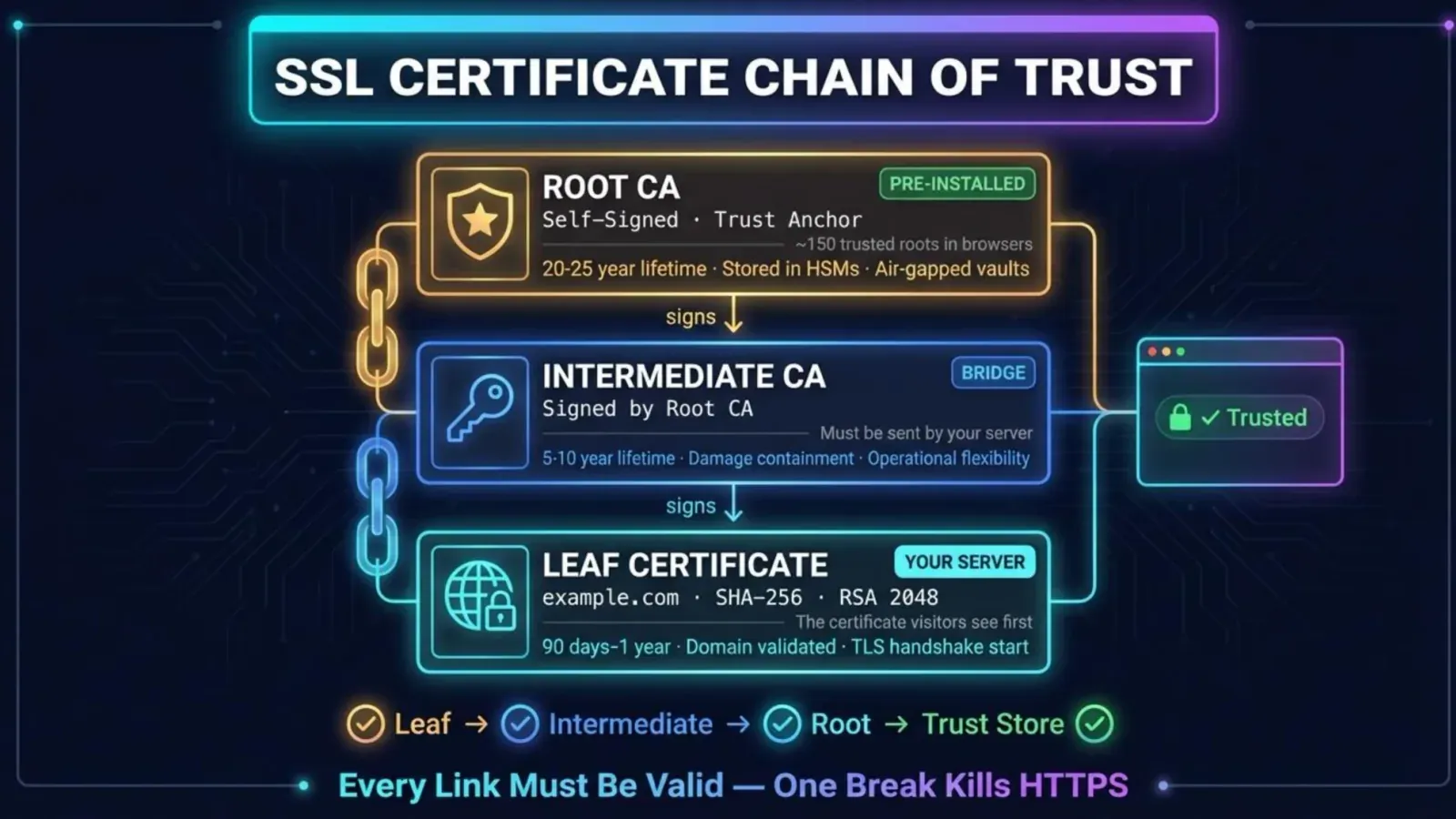
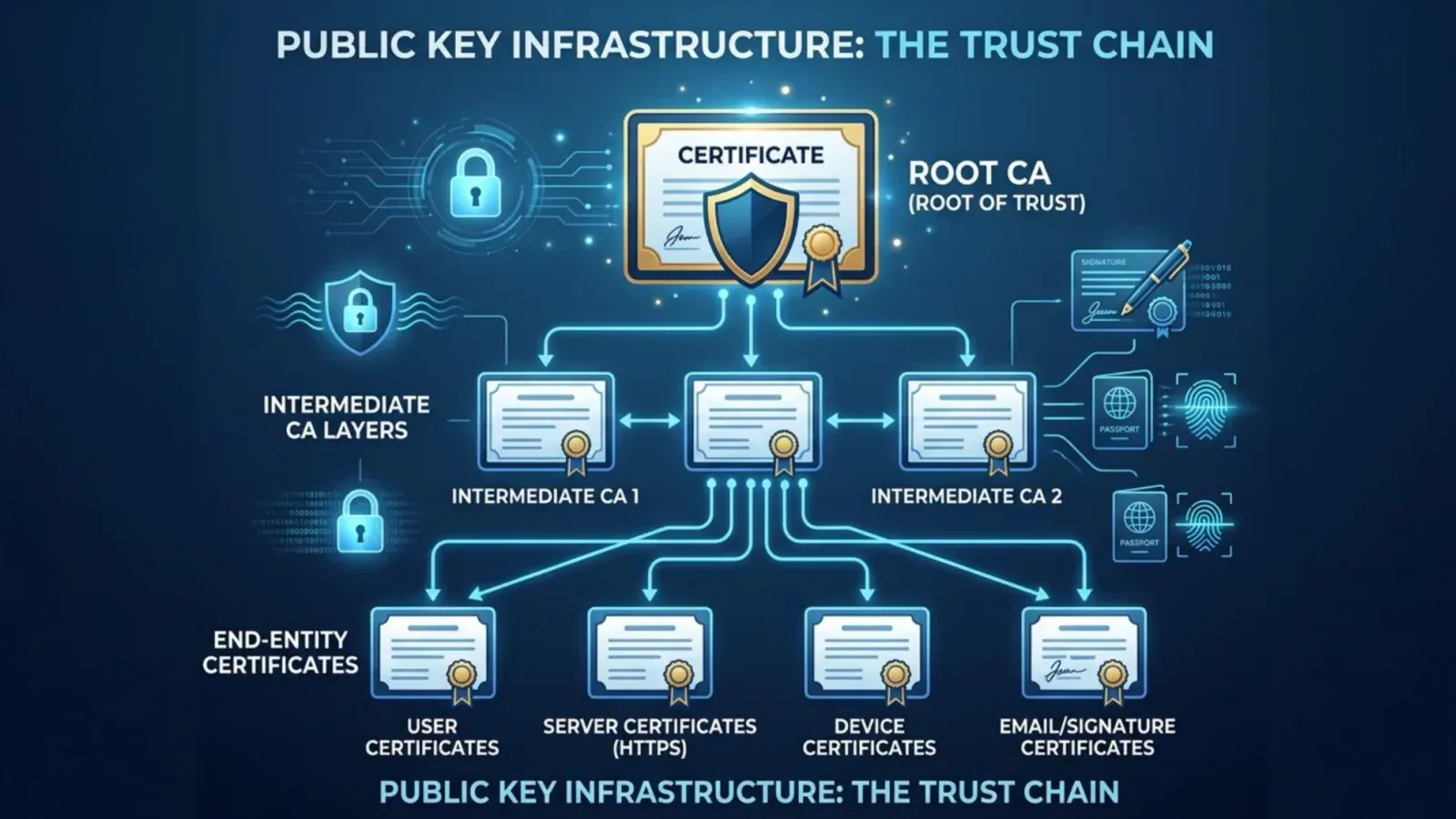
A TLS certificate is trusted because it chains to a root certificate the browser already holds. Your server sends your certificate plus one or more intermediates; the browser follows the issuer links up to a root in its trust store. DigiCert’s change swaps the intermediate and the root, not your certificate’s own key or validation.
| Until 12 November | From 12 November (default) | |
|---|---|---|
| RSA root | DigiCert Global Root G2 | DigiCert TLS RSA4096 Root G5 |
| ECC root | DigiCert Global Root G3 | DigiCert TLS ECC P384 Root G5 |
| RSA intermediate (DigiCert brand) | DigiCert Global G2 TLS RSA SHA256 2020 CA1 | DigiCert G5 TLS RSA4096 SHA384 2021 CA1 |
| ECC intermediate (DigiCert brand) | DigiCert Global G3 TLS ECC SHA384 2020 CA1 | DigiCert G5 TLS ECC SHA384 2021 CA1 |
| Other brands | GeoTrust, Thawte, RapidSSL, Encryption Everywhere G2/G3 intermediates | The same brands’ G5 intermediates (2022 series; EU variants for European accounts) |
Three things stay the same. Certificates already issued are untouched until they expire or are revoked. Validation levels (DV, OV, EV) and key types are unchanged. And the G5 roots are not new: DigiCert created them in 2021 and the major root stores added them that year, Microsoft’s in its April 2021 trusted root deployment. What changes on 12 November is only which hierarchy DigiCert uses when nobody asks for a specific one.
Why DigiCert is doing it
The Chrome Root Program, followed by Mozilla, now requires certificate authorities to run dedicated, single-purpose TLS hierarchies: roots and intermediates that sign TLS certificates and nothing else, with only the serverAuth (and optionally clientAuth) extended key usage. From 15 September 2027 Chrome will support at most two active TLS roots per CA and expects intermediates to be rotated, which DigiCert will do yearly from October 2027. The Global G2 and G3 roots are older, multipurpose hierarchies, and they are being wound down in steps:
| Date | Step |
|---|---|
| 8 March 2023 | Default issuance moved from the G1 roots to G2/G3 |
| 15 April 2026 | Chrome and Mozilla removed DigiCert’s public G1 roots |
| 15 May 2026 | G2/G3 multipurpose intermediates and two G5 cross-signed roots revoked |
| 12 November 2026 | Default issuance moves to the G5 roots |
| 28 February 2027 | G2/G3 certificates truncated so none runs past 14 September 2027 |
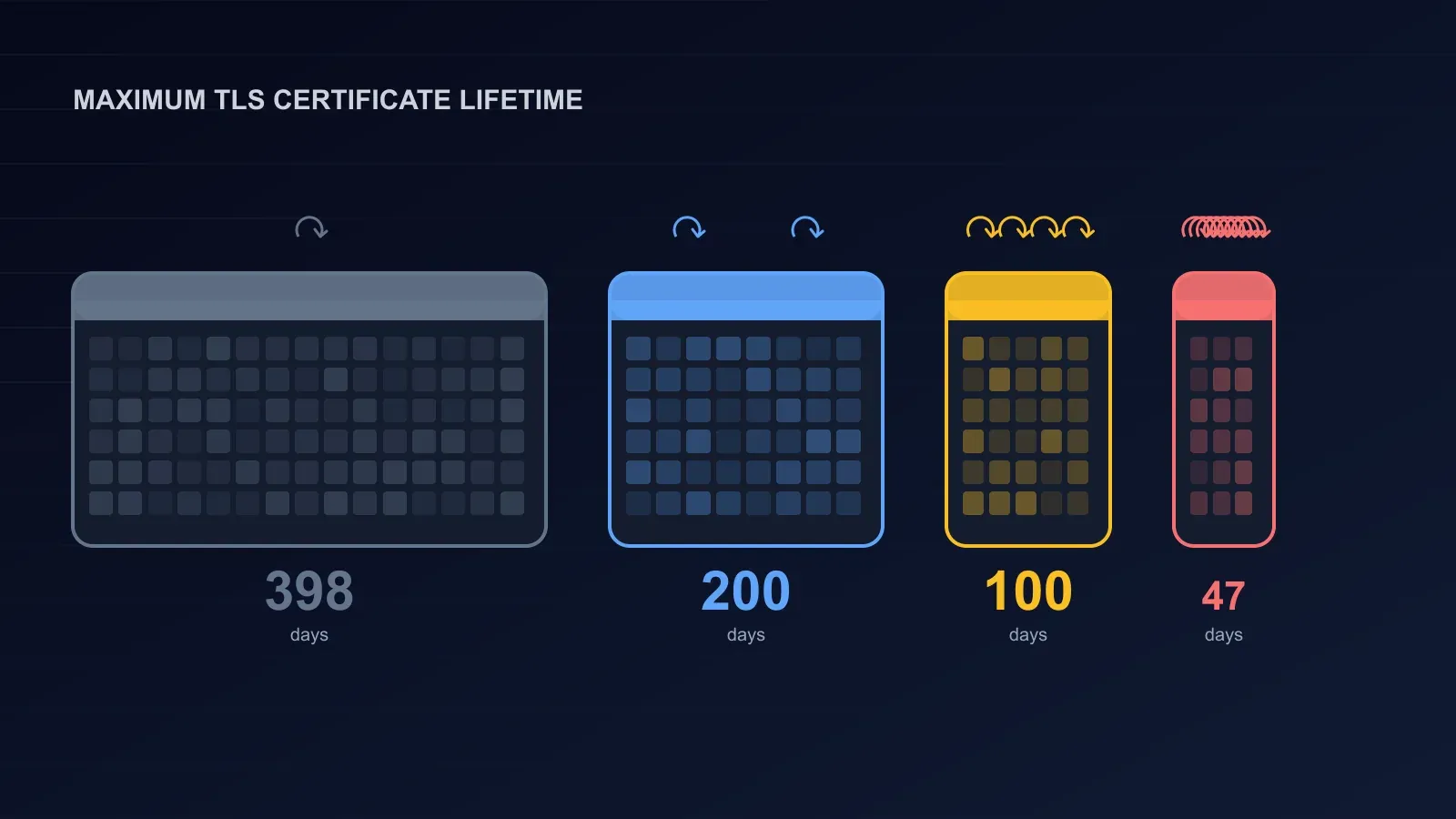
| 1 March 2027 (enforced 15 March) | Maximum public TLS validity drops to 99 days; clientAuth EKU removed from public TLS |
| 8 June 2027 | G2/G3 no longer selectable for issuance without an approved exception |
| 14 September 2027 | G2/G3 withdrawn from CertCentral entirely |
| 15 September 2027 | Chrome stops trusting certificates from the G2/G3 hierarchies; Chrome supports only the two G5 roots |
| 15 October 2027 | G5 intermediates replaced; annual rotation begins |
| 1 March 2029 (subject to change) | Maximum validity drops to 47 days; domain validation reuse drops to 10 days |
Read as a whole, 12 November is not the deadline. It is the first visible step of a timetable that ends with Chrome refusing G2 and G3 certificates in September 2027, and it arrives alongside the industry-wide move to much shorter certificate lifetimes.
Who does not need to act
If you buy or renew DigiCert certificates through the CertCentral website, install the chain file that comes with each certificate, and do not pin anything, you can stop reading after the checklist. Your next renewal will chain to G5, every current browser and operating system already trusts the G5 roots, and DigiCert’s bundle includes the cross-signed root for anything older. ACME clients that already have a specific intermediate configured keep it; the default change does not overwrite an explicit choice.
Who does need to act
Anyone who pins roots or intermediates
Certificate pinning means an application or device trusts only a specific certificate, intermediate or root rather than anything in the system trust store. Mobile apps, IoT firmware, API clients with a hard-coded CA bundle, and firewall or proxy rules that allow-list certificate issuers are the usual places. A pin to DigiCert Global Root G2 or to the G2 intermediate will reject your first G5 certificate outright, on the day you install it, with no error visible from the server side. Search your code, your mobile apps and your network rules for “DigiCert Global” and “G2” before your next renewal, and add the G5 roots and intermediates (or better, stop pinning to anything you do not control).
API and ACME integrations that rely on the default
DigiCert’s API uses the account’s default intermediate unless the request includes a ca_cert_id. ACME directory URLs without a configured intermediate behave the same way. Both move to G5 on 12 November. If something downstream expects a G2 chain, either add the G5 chain to it or select a G2 intermediate explicitly, knowing that option lasts only until 8 June 2027. The intermediate IDs you need come from your own account’s product list, not from documentation examples.
Sites with very old clients
The G5 roots have been in Windows, macOS, iOS, Android, Firefox and Java trust stores since 2021. A client that has not received a trust-store update since then is rare, but it exists: embedded devices, long-unpatched appliances, old point-of-sale systems. For those, DigiCert provides the G5 roots cross-signed by Global Root G2 (RSA) and G3 (ECC). You append the cross-signed root to the end of your intermediate file on the server; the client then finds a path to the G2 or G3 root it already has. DigiCert’s compatibility note for the cross-sign reaches back to Windows XP SP3, macOS 10.6, iOS 4 and Android 1.1. Visitors do nothing. The bundle download in CertCentral already contains it, which is why “install the whole chain file” is the one instruction that covers almost every case.
Anyone who must keep G2 or G3 for now
Some organisations have a contractual or compliance reason to stay on a hierarchy until a change window. CertCentral allows explicit selection of a G2 or G3 intermediate if the account has intermediate selection enabled (ask your account manager or support if it is not), either per order or as a product default. It is a stay of execution: truncation from 28 February 2027, no new issuance from 8 June 2027 without an exception, and Chrome distrust from 15 September 2027.
A checklist for 12 November
- Find out whether you are affected at all. Click the padlock on each of your sites and read the issuer. If it is not DigiCert, GeoTrust, Thawte, RapidSSL or Encryption Everywhere, this change is not yours. If you are not sure what you have, crt.sh lists every certificate ever logged for your domain.
- Search for pins. Code, mobile apps, device firmware, API clients, firewall and proxy rules. Anything that names a DigiCert root or intermediate by fingerprint, subject or file needs the G5 equivalents added before your next renewal.
- Check your ACME and API set-up. If you want G5, do nothing. If you need G2 or G3 for a while, set the intermediate explicitly and diary 8 June 2027.
- Install the full chain on the first G5 renewal, including the cross-signed root if your bundle contains it, and test from a browser, from SSL Labs or a similar checker, and from the oldest client you still support.
- Watch the chain, not only the expiry date. Add a check that your served chain is complete and that its root is one browsers trust. The eMudhra incident three weeks ago showed how a root can be removed from trust stores in days; a monitor that only counts down to expiry would not have noticed.
- Automate before 99 days arrives. From 15 March 2027 the maximum lifetime is 99 days and from 2029 it is 47. A manual renewal process that is tolerable once a year becomes a monthly chore and then a weekly one. ACME with your CA, or a certificate manager that supports it, is the fix, and the G5 switch is a sensible time to make it.
How this fits with the rest of 2026’s certificate changes
This is the third root-store story in a month. The eMudhra incident removed a root from every browser after weak keys were found. WordPress 7.1.4 updated the certificate bundle PHP uses for outbound calls. And DigiCert is retiring the roots most of the web has chained to for a decade. The thread through all three is that the top of the chain is not permanent, and a site that has never thought about its chain beyond the expiry date is trusting that nothing above it ever moves. Our TLS configuration check covers the rest of what to look at, including the 200-day certificates already in force and the post-quantum changes coming behind them.
How BCDRPulse can help
BCDRPulse’s TLS scan (Pro) reads the certificate chain your site actually serves, from the outside, and checks it with the protocols, cipher suites and certificate details against current practice, in a dated report you can keep. Run it after your first G5 renewal and you have evidence that the new chain is complete and trusted. Uptime monitoring on the Free plan catches the case nobody wants: a chain that browsers reject, which to a visitor looks like a site that is down. Every check runs only against a domain you have verified as yours. See pricing for the plans.
The bottom line
On 12 November DigiCert’s default chain moves to the G5 roots. Existing certificates keep working; the next renewal brings the new chain; installing the full chain file is the whole job for most sites. The people who need to act are the ones who pinned the old roots, who built integrations around the default intermediate, or who still serve clients from before 2021. Do the checklist once now, and treat the date as the start of the 2027 calendar: G2 and G3 gone by September, 99-day certificates from March, and automation as the only comfortable way through either.
Sources.
- 1. DigiCert Knowledge Base, DigiCert G5 root migration and ICA certificate selection guide (updated 28 October 2026) (opens in a new tab) knowledge.digicert.com
- 2. DigiCert, Trust calendar: public trust and compliance changes (opens in a new tab) www.digicert.com
- 3. DigiCert Knowledge Base, DigiCert's root strategy: aligning with new industry standards (opens in a new tab) knowledge.digicert.com
- 4. DigiCert Knowledge Base, Install the DigiCert G5 cross-signed root CA certificate (opens in a new tab) knowledge.digicert.com
- 5. DigiCert Knowledge Base, Compatibility of DigiCert trusted root certificates (opens in a new tab) knowledge.digicert.com
- 6. Microsoft Trusted Root Program, April 2021 deployment notice (G5 roots added to Windows) (opens in a new tab) learn.microsoft.com
Frequently asked questions.
What is the DigiCert G5 root migration?
A change of default on DigiCert's side. From 12 November 2026, public TLS certificates ordered, renewed, reissued or duplicated through DigiCert's CertCentral, its API or its ACME service chain to the fifth-generation roots, DigiCert TLS RSA4096 Root G5 for RSA certificates and DigiCert TLS ECC P384 Root G5 for ECC certificates, instead of DigiCert Global Root G2 and G3. The same applies to the GeoTrust, Thawte, RapidSSL and Encryption Everywhere brands, which DigiCert issues. The G5 roots are dedicated to TLS only, which is what the browser root programmes now require.
Do I need to do anything before 12 November 2026?
Most website owners do not. Certificates already issued keep working until they expire. The next renewal arrives with a G5 chain, and if you install the chain file DigiCert supplies, as you should already, nothing visible changes. You need to act if you pin DigiCert roots or intermediates anywhere (mobile apps, IoT devices, firewall or proxy allow-lists, internal trust stores), if an API or ACME integration assumes the G2 intermediate, or if you serve clients so old that they lack the G5 roots, which entered the major trust stores in 2021.
Will my existing DigiCert certificate stop working?
No. The 12 November change affects what DigiCert issues from that time on. A certificate issued under Global Root G2 or G3 before then stays valid until its own expiry date. The only future deadline for those certificates is Chrome's: from 15 September 2027 Chrome stops trusting certificates issued from the G2 and G3 hierarchies, and DigiCert stops issuing from them on 8 June 2027, shortening any issued from 28 February 2027 so that none outlives 14 September 2027.
What is the G5 cross-signed root and do I need it?
A copy of the G5 root certificate signed by the older Global Root G2 (for RSA) or G3 (for ECC). If a client does not have the G5 root in its trust store but does have G2 or G3, the cross-signed root lets it build a path to a root it trusts. You add it to the end of the intermediate file on your server; visitors do nothing. DigiCert recommends it for compatibility and its bundle downloads include it. Since the G5 roots have been in Windows, macOS, iOS, Android, Firefox and Java trust stores since 2021, only unusual or unmaintained clients need it, but including it costs nothing.
Can I keep using the G2 or G3 roots?
For a while, by choice rather than by default. If intermediate selection is enabled on your CertCentral account you can pick a G2 or G3 intermediate when ordering, or set it as a product default, until 8 June 2027. Accounts with an approved exception can continue to 14 September 2027. From 28 February 2027 such certificates are truncated so they do not run past 14 September 2027, and Chrome stops trusting them on 15 September 2027. There is no long-term option.
Why is DigiCert doing this?
Because the Chrome Root Program and Mozilla now require certificate authorities to run dedicated, single-purpose TLS hierarchies rather than multipurpose roots that also sign code or email certificates. Chrome will support at most two TLS roots per CA from 15 September 2027 and expects intermediates to be rotated regularly. DigiCert's G5 roots meet that; the G1 roots were removed from Chrome and Mozilla on 15 April 2026 and the G2 and G3 multipurpose intermediates were revoked on 15 May 2026.
How do I check which root my certificate chains to?
Click the padlock in your browser and open the certificate details to see the hierarchy, or run openssl s_client against your site with -showcerts and read the issuer lines. A G5 chain shows an intermediate named like DigiCert G5 TLS RSA4096 SHA384 2021 CA1 and a root named DigiCert TLS RSA4096 Root G5. A G2 chain shows DigiCert Global G2 TLS RSA SHA256 2020 CA1 and DigiCert Global Root G2. Our eMudhra article has the full walkthrough.
Published .
Founder, BCDRPulse
Founder of BCDRPulse. Enterprise backup and data protection since 2007, supporting Fortune 500 companies. Writes guides to keeping a site up, fast and secure, and to proving it.